On this page
9 AI Hacks Actually Worth Knowing in 2026
The tool, the workflow and every prompt from the video.
Pick one hack, copy
its prompt, and try it today.
Hack 1Find out what people see when they look you up
Research yourself like a stranger would, then ask why they'd say no.
The workflow
- Research yourself as an outsider
Public sources only, each one cited. - Read what it found
Mismatches, outdated posts and gaps. - Flip it around
Have it play a skeptical client and list three things to fix.
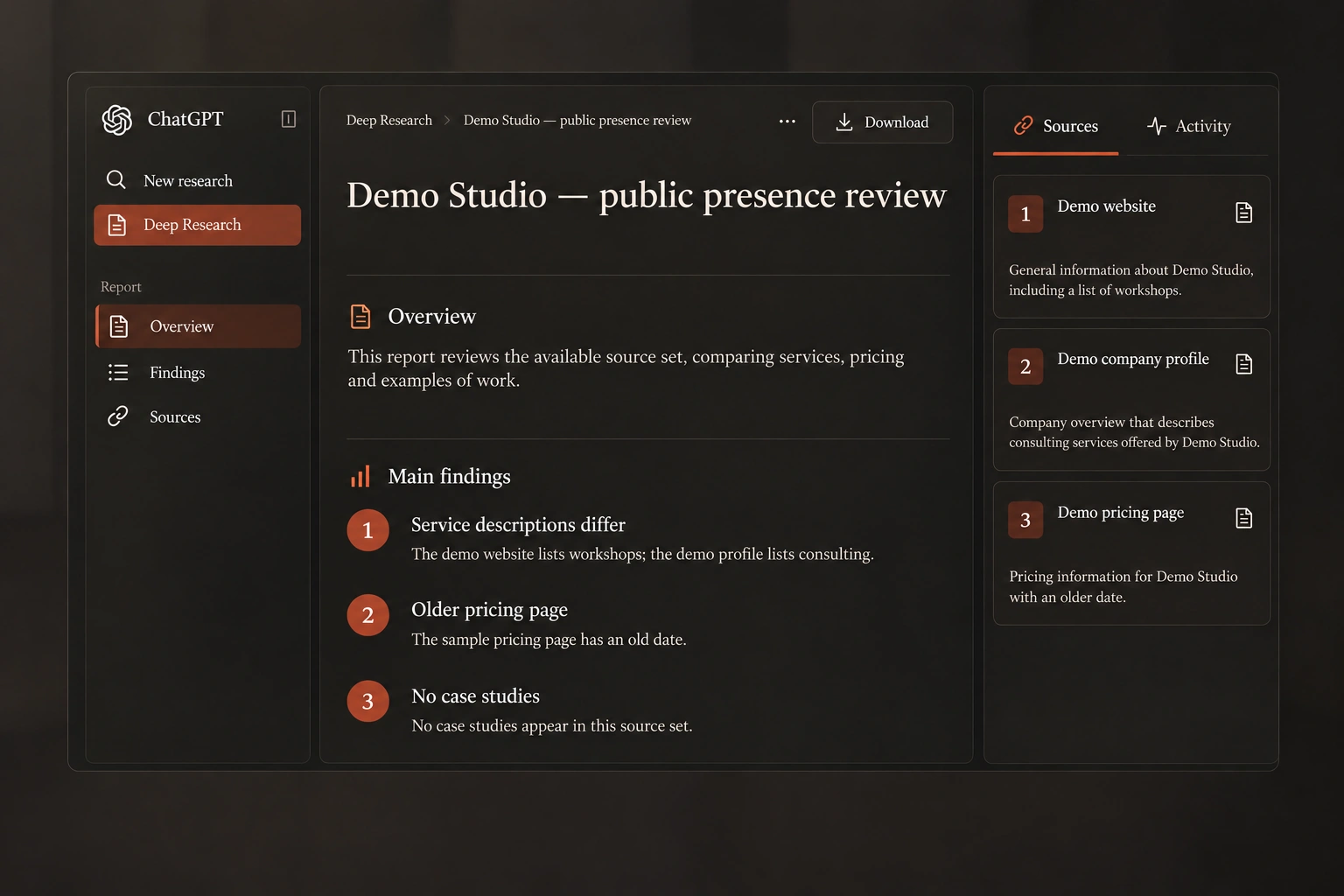
Step 1 · research
Research [my company / my name] the way a potential [client / recruiter / investor] would before deciding whether to [hire us / work with me]. Only use what is publicly available online. Cite every source. Tell me what you found, what you couldn't find, and anything that looks outdated or inconsistent.
Step 2 · flip it around
Now act as a skeptical [client] who just read all of this. Give me the top three reasons you would not reach out to us, and what would change your mind.
Pro moveRun the same research on your top competitor, then ask: “Where do they look more trustworthy than us, and what's the actual evidence?”
Job hunting? Run it on your own name and have it play a recruiter.
Hack 2Stop collecting information. Give it a job.
Don't ask AI to summarize what you've saved. Ask it to build something from it.
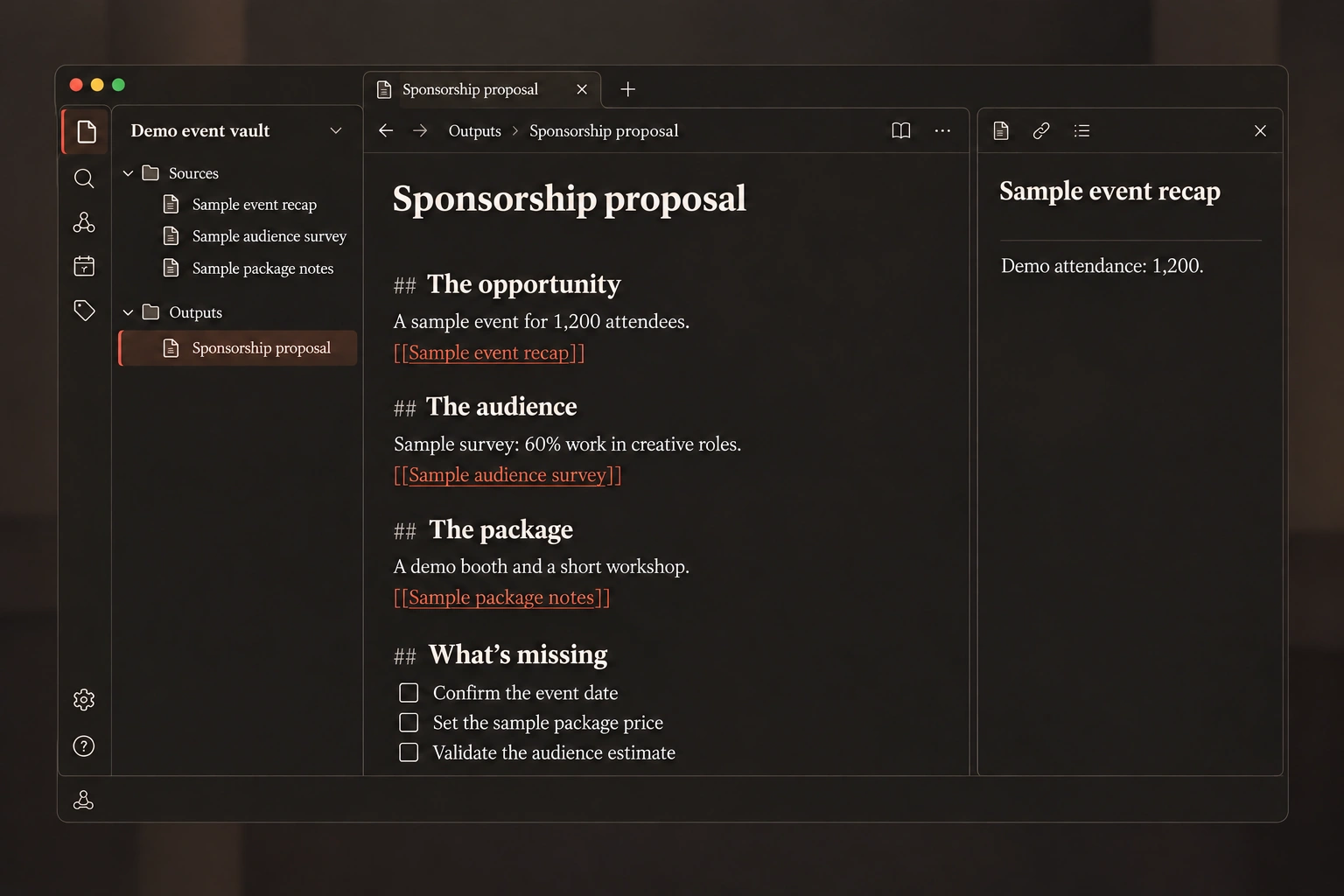
The setup
- Put your material in one folder
Clipped articles, saved stats, past notes. - Give Claude access to it
An Obsidian vault is just a folder of notes. - Give it a job
A proposal, a brief or a pitch. Not a summary.
Use these notes to build my [sponsorship proposal]. Link every important claim back to the source, tell me what isn't supported yet, and tell me what information is missing.

Don't modify the original notes. Put anything you create into a separate Outputs folder.
Pro moveThe last line of the prompt keeps your originals safe. Every new file goes into an Outputs folder, so AI can work inside your notes without touching what you collected.
Notes become useful when they turn into something you can send.
Hack 3Don't learn the course. Learn what finishes the job.
Start with what you want to make, and learn only what gets you there.
The loop
- Find the material in NotebookLM
Add a few good tutorials. It maps what you need to learn. - Practice with ChatGPT
Work on your real file, one step at a time, with every step checked. - Test yourself in NotebookLM
A quiz focused on where you struggled.
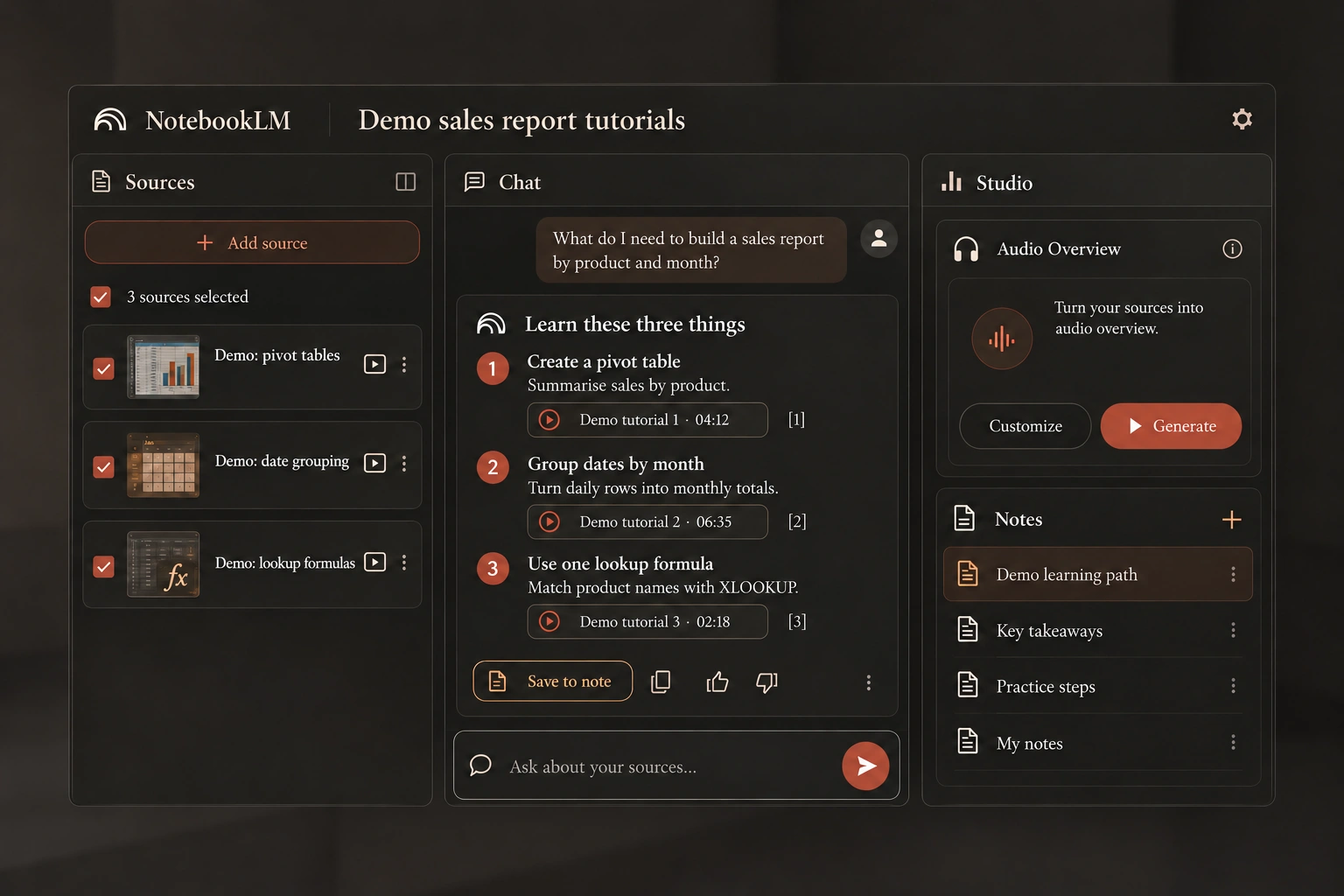
Step 1 · NotebookLM, with a few good tutorials added
I need to build [a sales report by product and month]. Based only on these tutorials, what do I need to learn to build it? Show me where each thing is explained.
Step 2 · ChatGPT, with your actual file attached
I'm building [a sales report by product and month] from the file I've attached. Teach me one step at a time. Wait for me to do it. Check my work. Then continue.
Step 3 · back in NotebookLM
Quiz me on what I learned to build this. I struggled with [the steps you found hard], so focus the questions there.
Pro moveAlways tell the quiz where you struggled. Testing yourself on the parts you already got right teaches you nothing.
One AI finds the right material. The other one becomes your tutor.
Hack 4Don't ask for a report. Ask for a dashboard.
A report tells you what happened once. A dashboard keeps helping as the data changes.
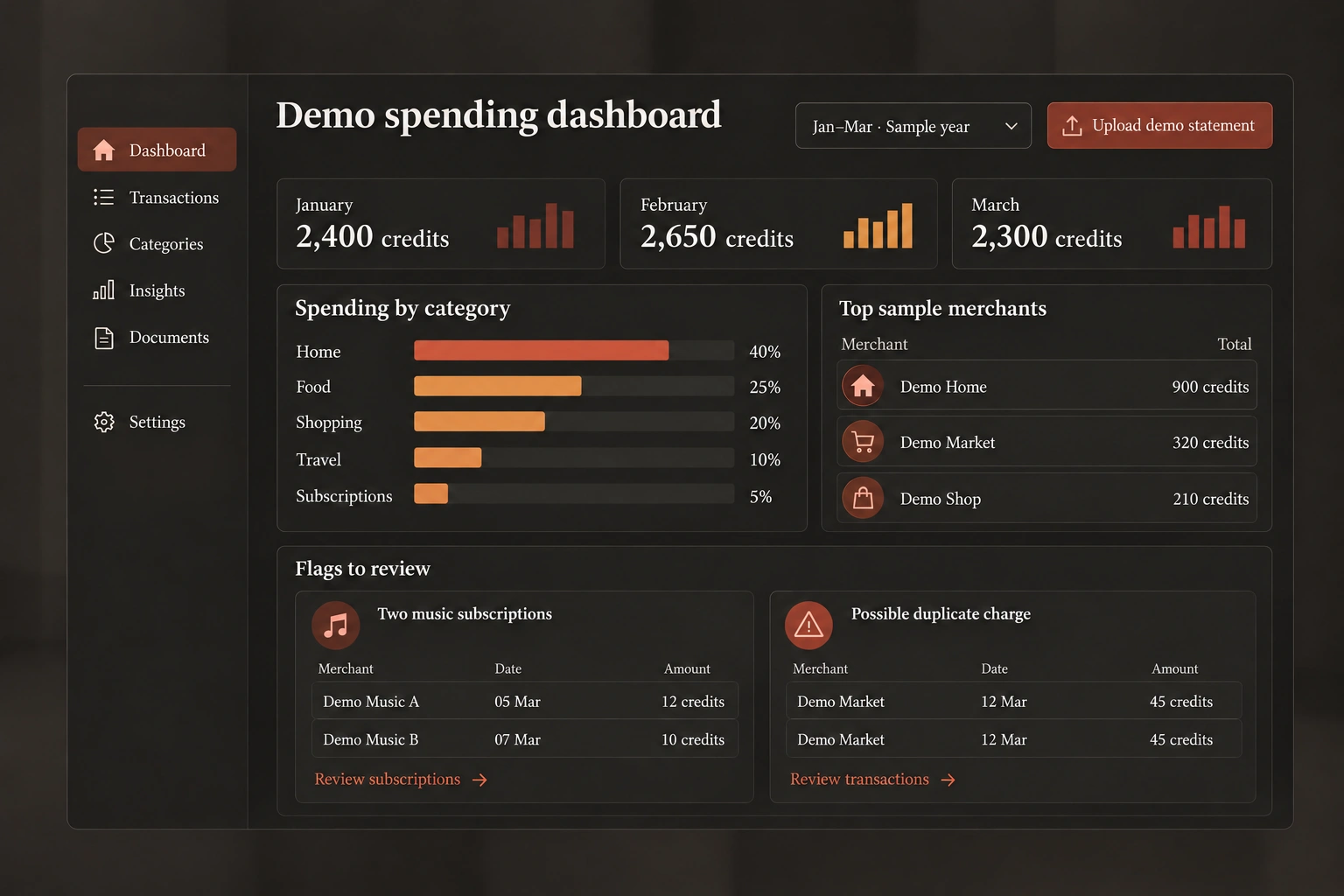
What you get
- Upload your last three months of bank statements or an expense export.
- Get back monthly totals, spending by category and your biggest merchants.
- Flags for duplicate charges and subscriptions you're paying for twice.
- Next month, upload the new statement and it updates.
Build me a spending dashboard from these statements. Group every transaction into categories, show me how each category changes month to month, list my biggest merchants, and flag anything that looks like a duplicate charge or a subscription I'm paying for twice. Let me upload a new statement every month to update it.

For every flag, show me the actual transactions behind it, with their dates.
Pro moveThe last line matters. If it says you were charged twice, you should see both charges and their dates. Act on evidence, not on a guess.
Build something you can keep using, not something you read once.
Hack 5The second time you explain a task, make it a Skill
Explain the job once, save it, and AI follows it every time.
The workflow
- Create the skill
Explain the process once. Claude saves it. - Use it on a different meeting
Just paste the notes. No explanation. - Leave something out on purpose
It should stop and ask, not guess.
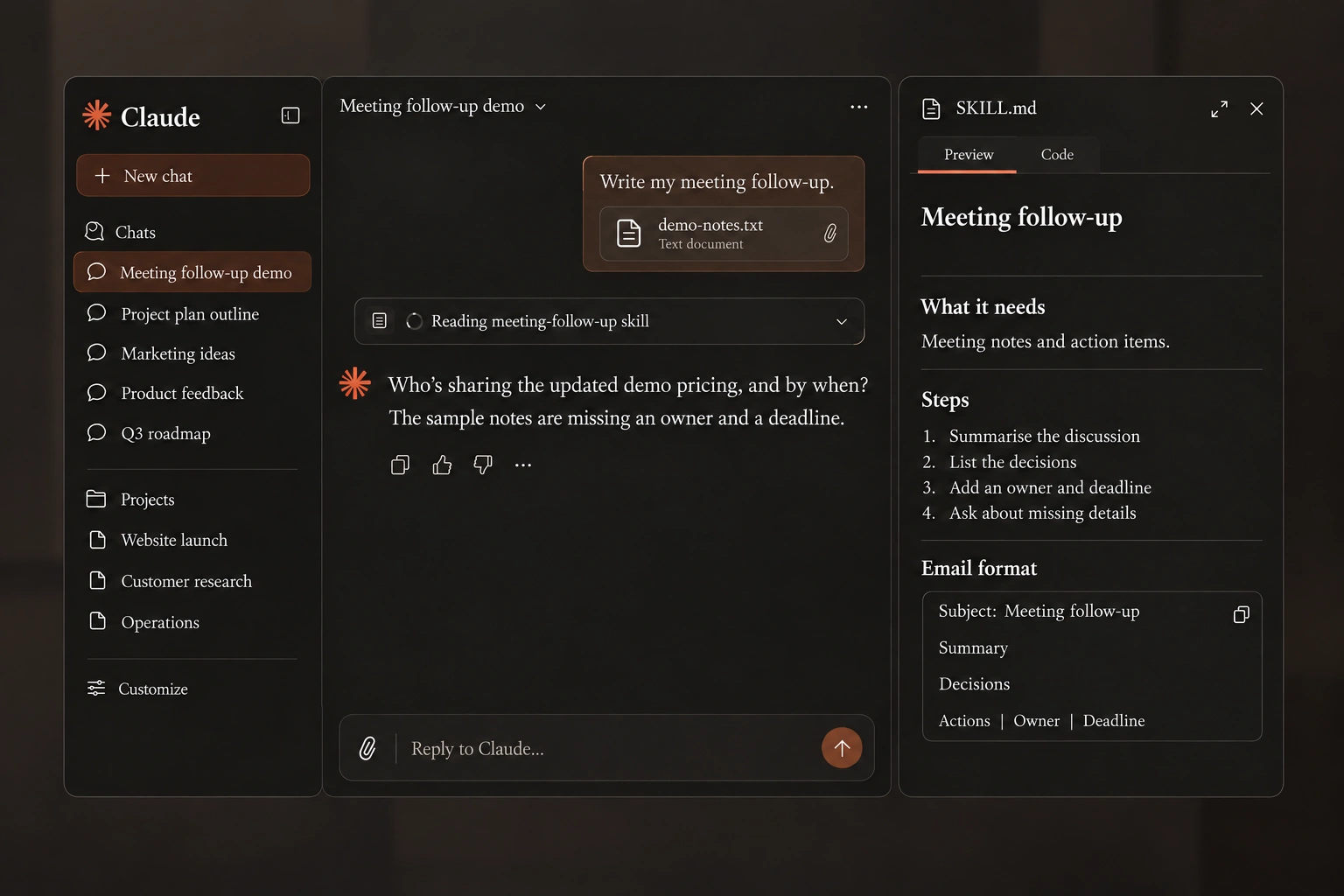
Step 1 · create the skill
Create a skill for meeting follow-ups. It should take my meeting notes, write a short summary, list the decisions made, and list every action item with an owner and a deadline. Keep the email short and in my tone. If an action item has no owner or deadline, ask me instead of guessing.
Step 2 · use it on a different meeting
Write my meeting follow-up.

[paste your meeting notes]
Pro moveTest it on the hard cases, not only the happy path. Use notes with missing, vague or conflicting information, like two deadlines for the same task. It should stop and ask instead of guessing.
If you've explained it twice, stop prompting and save it.
Hack 6Make AI react to you in real time
Reading tips won't prepare you. Answering out loud will.
- Attempt
- Critique
- Second attempt
Step 1 · set up the practice
I have an interview tomorrow for a [role] role at [company]. Interview me. One question at a time. If I'm vague, push back. Be as difficult as a senior hiring manager who has seen a hundred candidates today.
Step 2 · after each answer
Which exact part of my answer wasn't clear? Give me one thing to fix, then ask me the same question again.
Same setup, other uses: have it play a skeptical customer before a sales call, or your manager before you ask for a raise. Studying? Teach it the topic out loud and let it find the gaps.
Pro moveTell it how tough to be. The default is too polite, and polite practice won't prepare you for the real thing.
Don't ask it for a better answer. Ask it what to fix, then try again.
Hack 7Don't describe what's wrong. Point AI at it.
AI can't fix what it can't see.
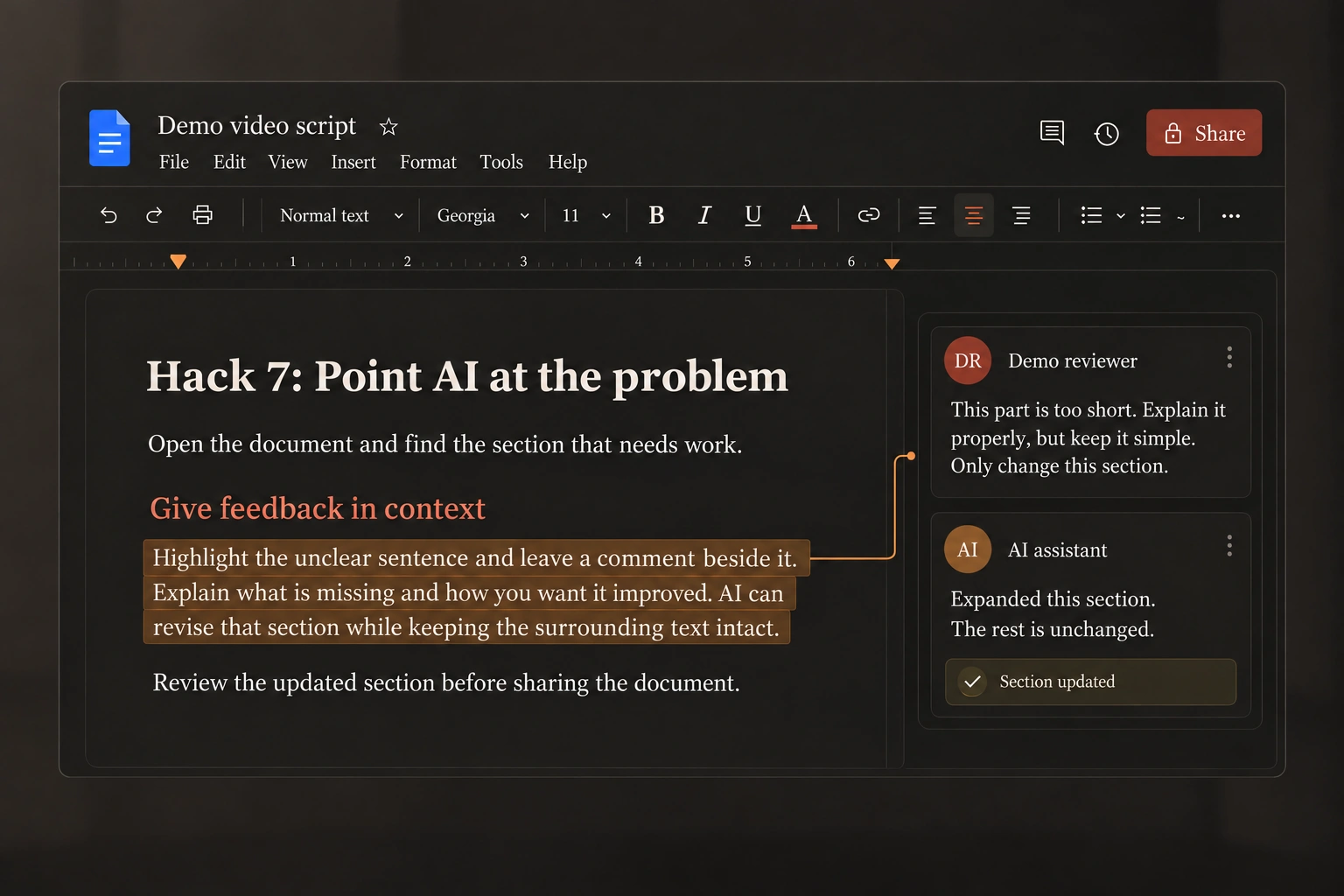
Instead of the chat
- Open the document itself
Not the chat. - Highlight the exact part
Only the part that isn't working. - Leave a comment
Just as you would for a colleague. Only that part changes.
This part is too short. Nobody will understand what I mean here. Explain it properly, but keep it simple. Only change this section, and tell me if anything else in the document needs updating to stay consistent.
Pro moveTell it what to keep, not just what to change. You get the fix without it quietly breaking the parts that already worked.
One comment per problem. Every fix lands where you pointed.
Hack 8Turn scattered health data into better questions
Data is only useful if you can actually understand it.
- Bring the data together
Connect sources in ChatGPT Health, or export from your health app. - Upload it to ChatGPT
Sleep, activity, workouts. - Ask for patterns with evidence
Then turn them into questions for your doctor.
Look at the last month of sleep and activity. Show me the actual dates supporting anything you notice. Tell me what's missing. Then help me turn this into questions for my next appointment.
ChatGPT Health depends on your region and account. Exporting a file works for everyone.
Pro moveWhen it finds a “pattern”, ask for the dates and measurements behind it. If it can't point to the numbers, don't trust the pattern.
AI is not your doctor. It helps you have a better conversation with the one who is.
Hack 9If you'll do it tomorrow, let AI start without you
Every other hack still needs you to start it. This one doesn't.
The setup
- Connect Calendar, Gmail and Drive
So it can see your day. - Give it the job
The prompt below. - Run it once by hand
Make sure you like the result. - Schedule it
Every weekday morning, ready before you sit down.
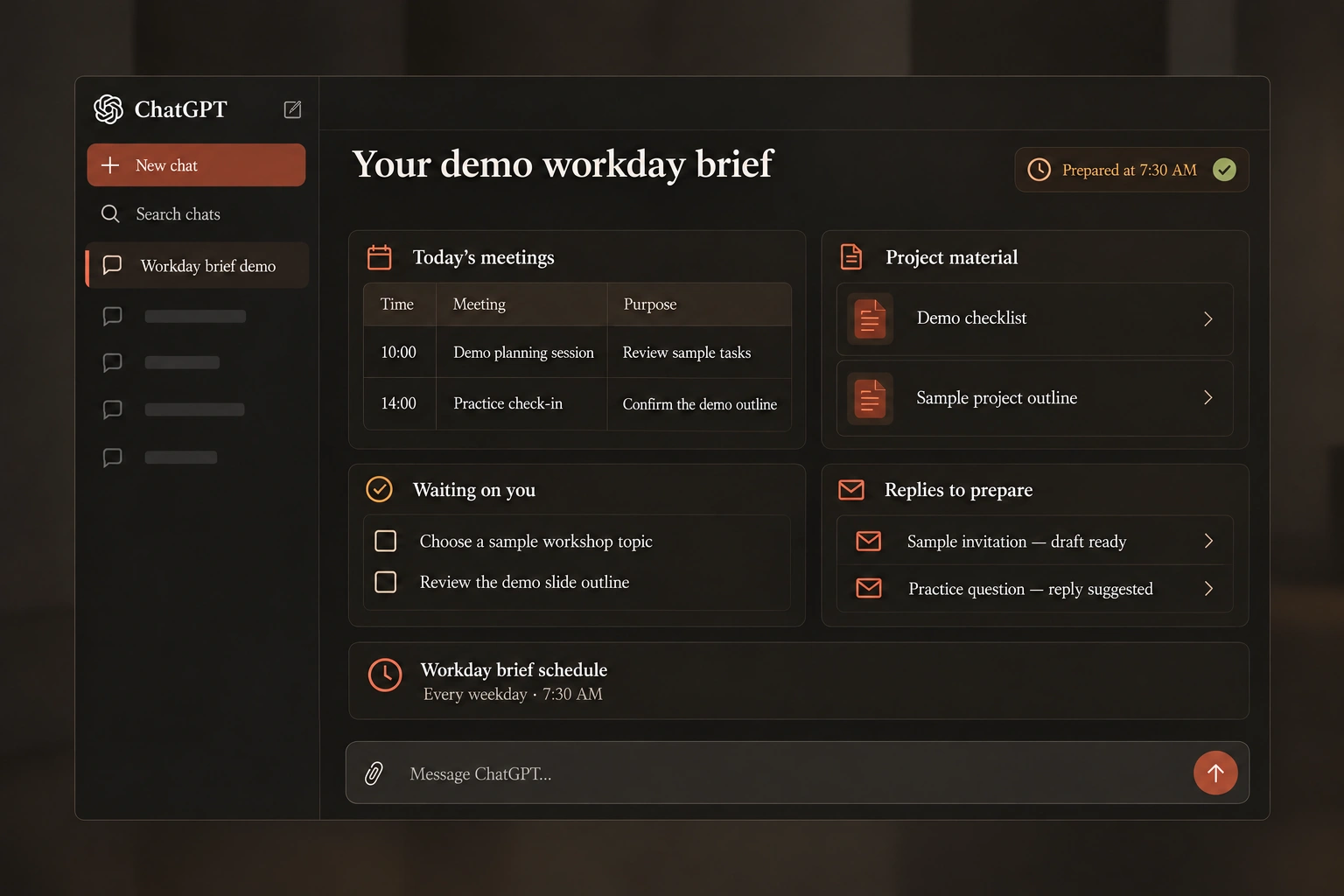
Prepare my workday brief. Find today's meetings, the relevant project material, things waiting for my decision and emails that need a response. Draft anything useful, but don't send or change anything without me.
Why the last lineIt can read, organize and draft on its own. Anything consequential, like sending an email or moving a meeting, still needs your approval.
The pattern behind all nine
Every useful AI assistant needs the same four things.
- AccessConnect it to the information it needs.
- The jobGive it a process, not a single prompt.
- A triggerLet the process start without you.
- A boundaryDecide what it can't do without asking.
Feed it the right context. Build one useful process. If it happens again, stop rebuilding it from scratch.
Get all nine hacks and every prompt to run them.