On this page
5 Claude Skills That Actually Change How You Work

Five simple skills that save you hours every week.
Download each skill, add it to
Claude, and run its prompt.
Step 1 - Add the skills
Add them once, and Claude uses them every time.
In the Claude app
- Download
Get all five here, or one at a time below. - Open Settings → Skills
In the web or desktop app. - Upload each zip
One zip per skill. Don't unzip them.
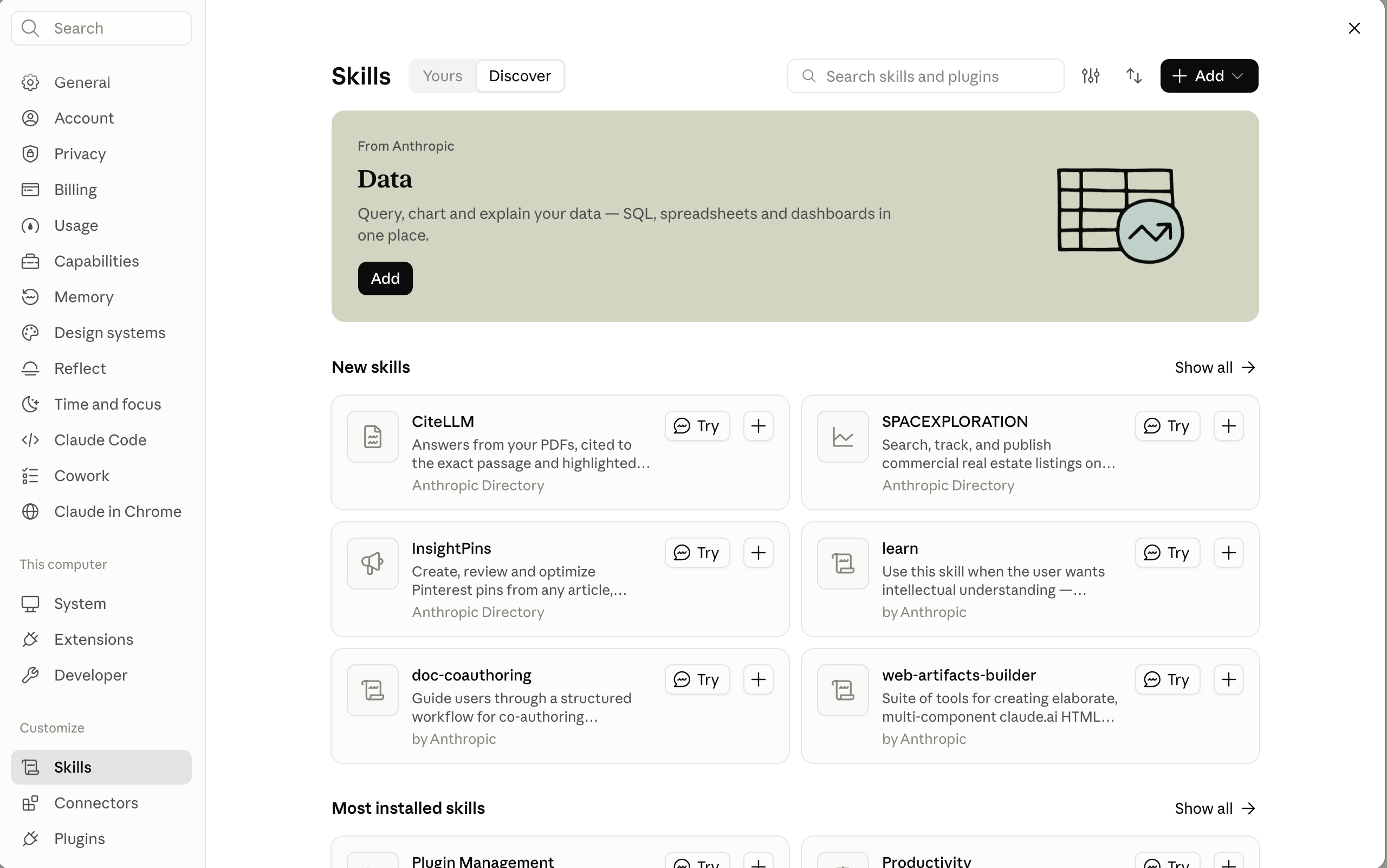
Using Claude Code? Unzip each one into ~/.claude/skills/.
Explain the job once, and never paste it again.
Skill 1 - Visualize
Messy notes in, a shareable document out.
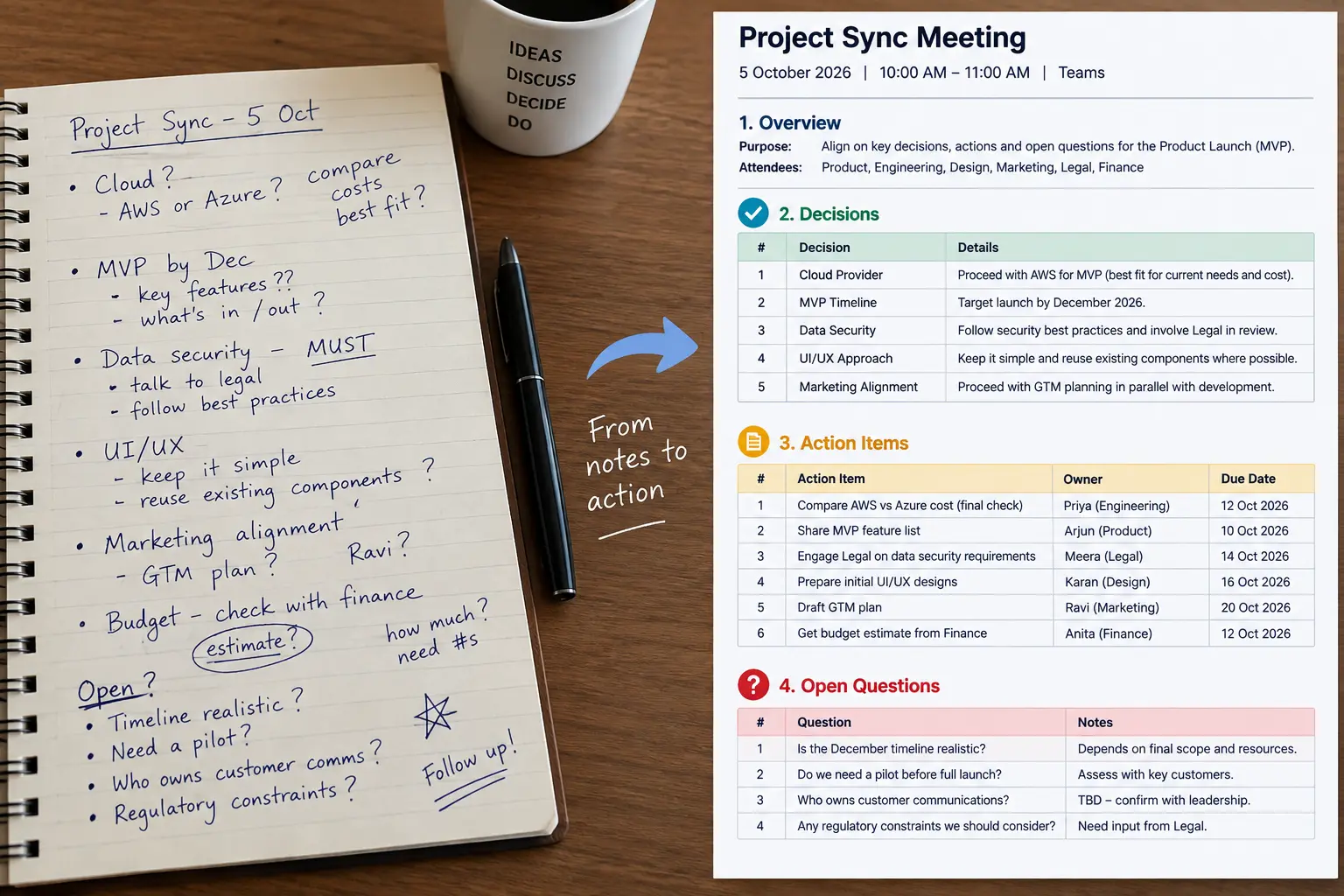
What comes back
- Key points and decisions.
- Action items with owners and deadlines.
- Follow-ups and open questions.
If nobody owns a task, it says UNASSIGNED.
It never guesses.
Use my visualize skill on the notes below. Turn them into a clean document I can share with my team: key points, decisions, action items with owners and deadlines, follow-ups and open questions.

[paste your transcript, call notes or brain-dump]
Run it right after the call, while it's still fresh.
Skill 2 - Resource
Two inputs, and research built around your point.
- Topic. What you're researching.
- Angle. The point you want to make.
- Result. Sourced facts, real examples, and the strongest argument against you.
Example from the video: the topic was why small businesses fail at adopting AI, and the angle was “the problem isn't the tools; most businesses don't know what problem they're solving.”
Use my resource skill.

Topic: [what you’re researching]
Angle: [the point you want to make]

Source every claim and include the strongest argument against my angle.
Without an angle, there's no filter. Always give it both.
Skill 3 - Humanizer
It sounds like you wrote it, and it says exactly the same thing.
- Removes the 29 patterns that give AI writing away.
- Keeps every fact, number and point.
- Works on emails, posts, proposals and newsletters.
Use my humanizer skill on the draft below. Keep every fact, number and point the same, and show me what you changed.

[paste your draft]
It changes how you say it, never what you say.
Skill 4 - Expand & Contract
Scope your idea before you spend time or money on it.
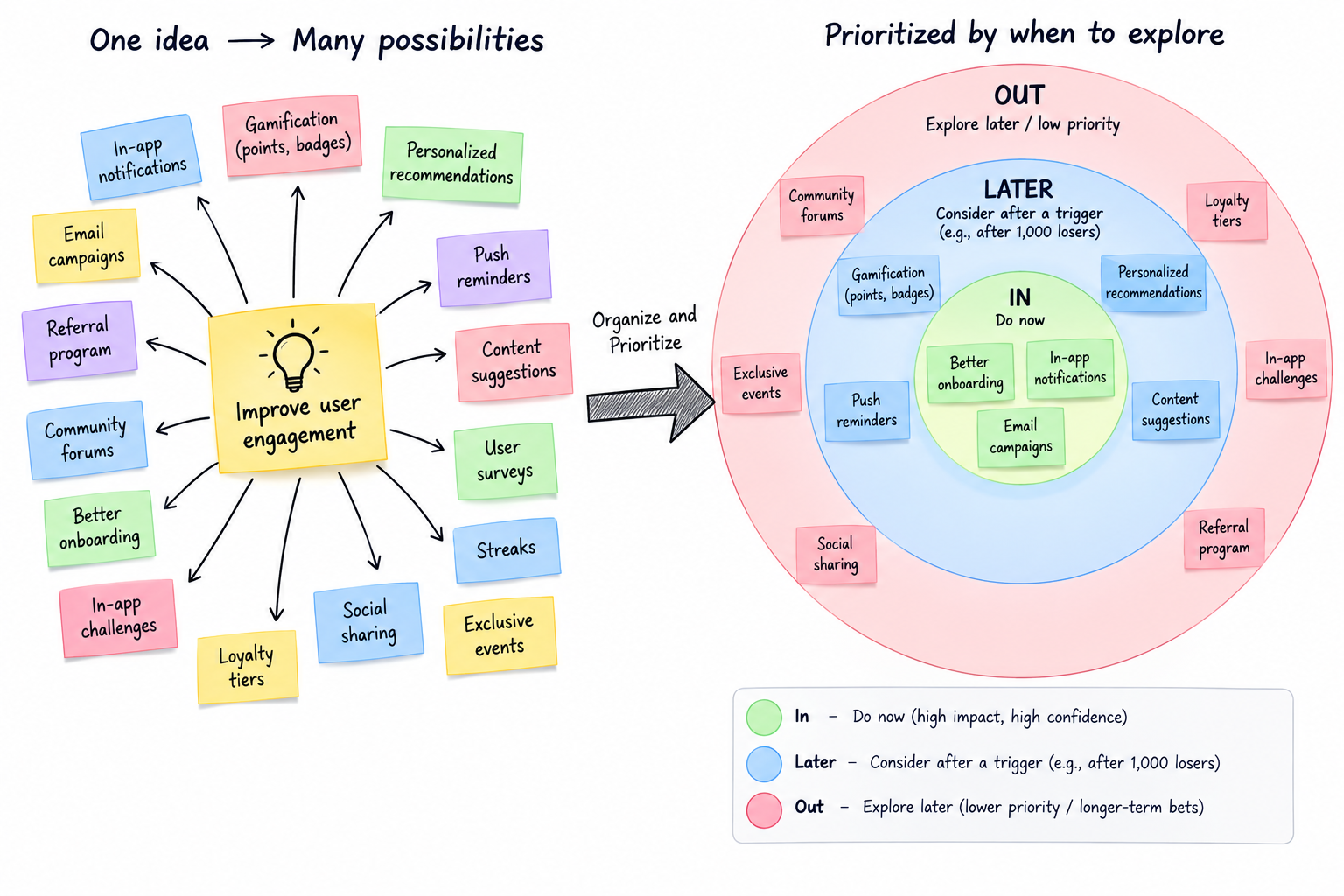
Two phases
- Expand
Turns your rough idea into 25+ possibilities. - Contract
Asks short rounds of questions to narrow it down.
It ends with In · Out · Later.
Every “Later” item gets a trigger, such as
“after 1,000 users”.
Use my expand-contract skill on this idea: [your idea; a few sentences are enough]

Expand it first, then ask me questions in small batches until everything is sorted into In, Out and Later.
The wrong scope costs more than the wrong idea.
Skill 5 - Skill Creator
Describe a task you repeat, and get your own skill.
- Explain your workflow in plain English.
- Answer its follow-up questions.
- It writes, tests and saves the skill for you.
Good first picks: a weekly report, a proposal review or a client update.
Use my skill-creator skill. I want to turn this into a skill:

[the task you repeat, step by step, in your own words]

Ask me about anything that’s missing, then write the skill, test it with me and save it.
If you've done it twice, make it a skill.
Get all five skills and the prompts to run them.