
Design Carousels with Claude
By Zeel Jain
WORKFLOW - CLAUDE DESIGN
Design a carousel with Claude, from one prompt
Set up your brand once, paste the prompt, and let Claude draft the structure, copy flow, hierarchy, and visual direction. Then you refine. Here is the exact workflow, with the prompts to copy.
7 slides
per carousel
1 prompt
to first draft
2 passes
to refine
01. Give Claude your brand first
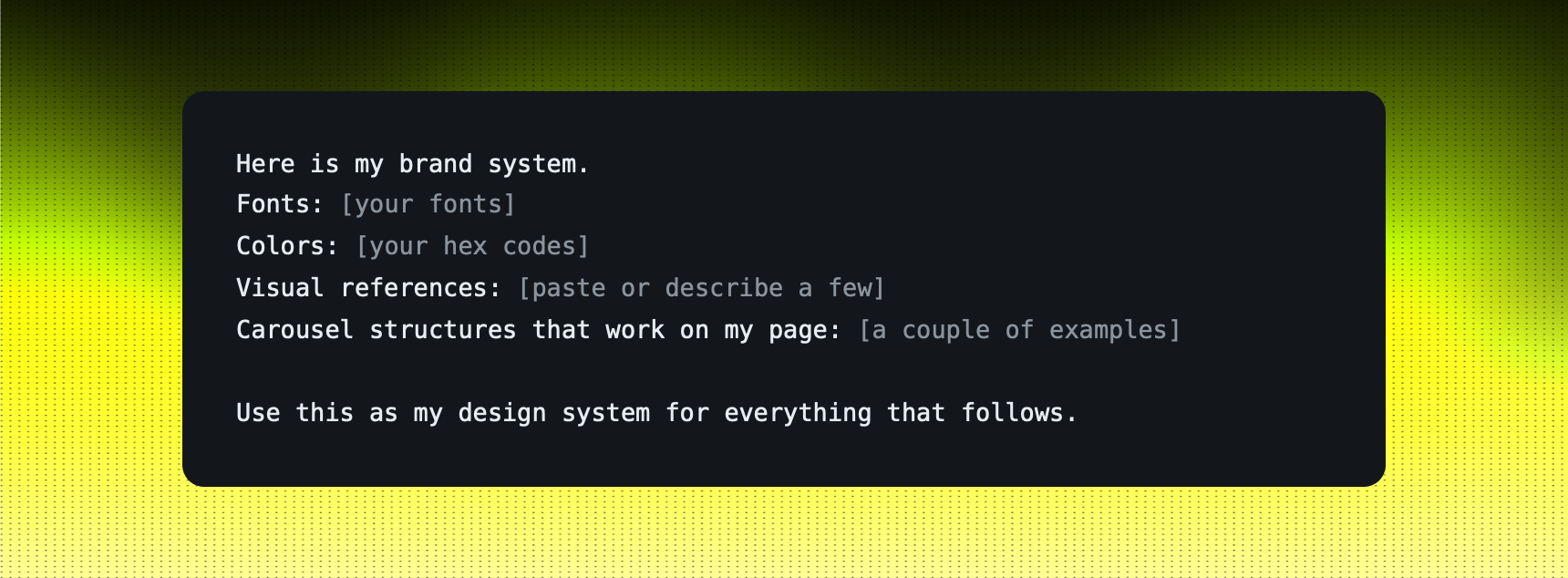
The mistake almost everyone makes is a generic prompt. Generic in, generic out. Before you ask for anything, hand Claude your actual design system: your fonts, your colors, your visual references, and the carousel structures that already work on your page.
Once it has that, it stops guessing and starts behaving like an assistant who knows your brand. This one step is the difference between a template and something that looks like you made it.
Paste this first
02. The prompt
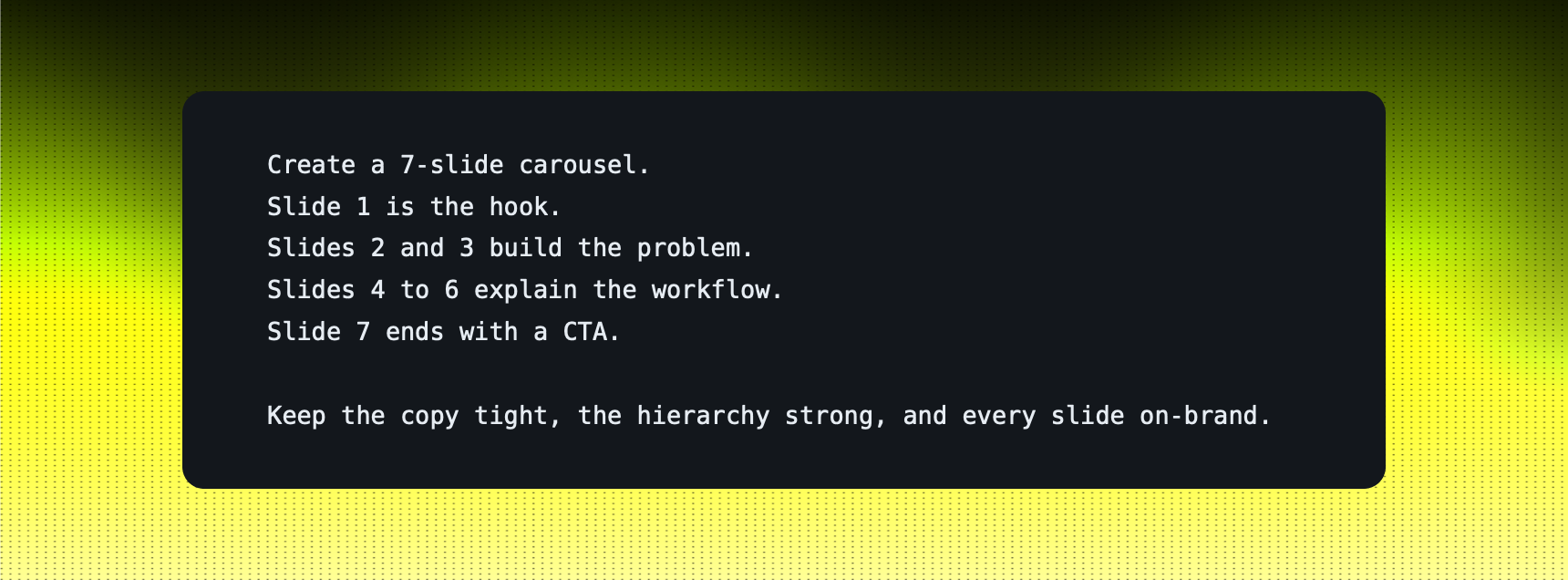
With your brand loaded, this is the prompt that gives you a full first draft: the structure, the copy flow, the hierarchy, and the visual direction, all at once.
The carousel prompt
03. Refine it
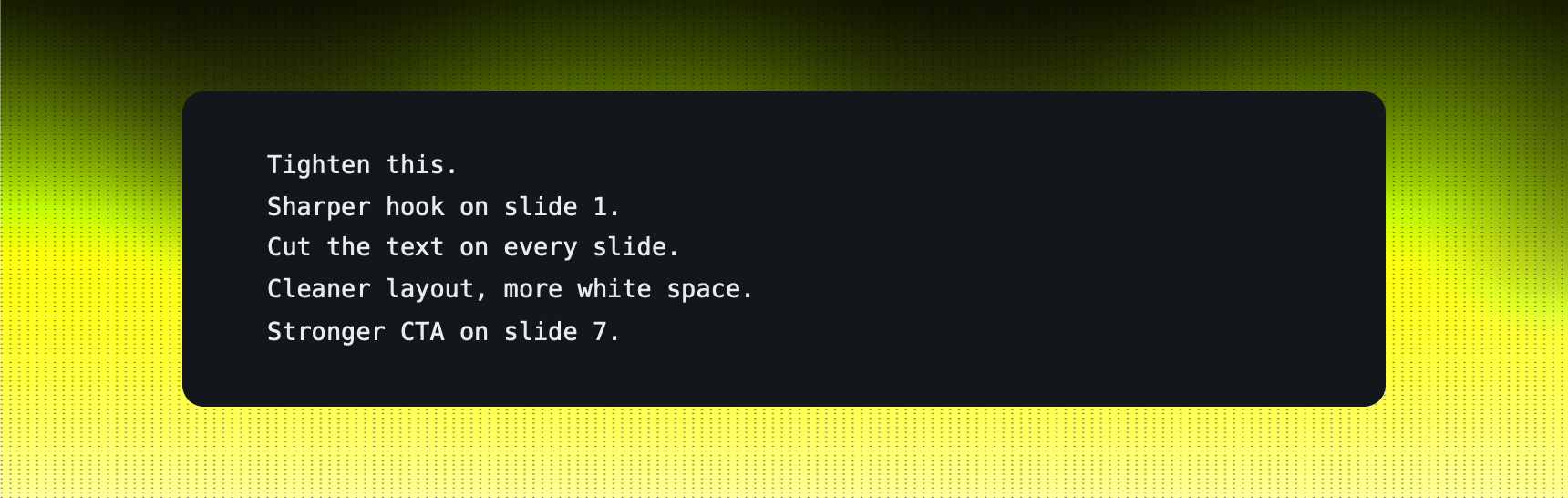
The first draft is a starting point, not the finish line. Push it. A sharper hook, less text on every slide, a cleaner layout, a stronger CTA. Two passes usually gets it where you want it.
The refine pass
04. It works for landing pages too
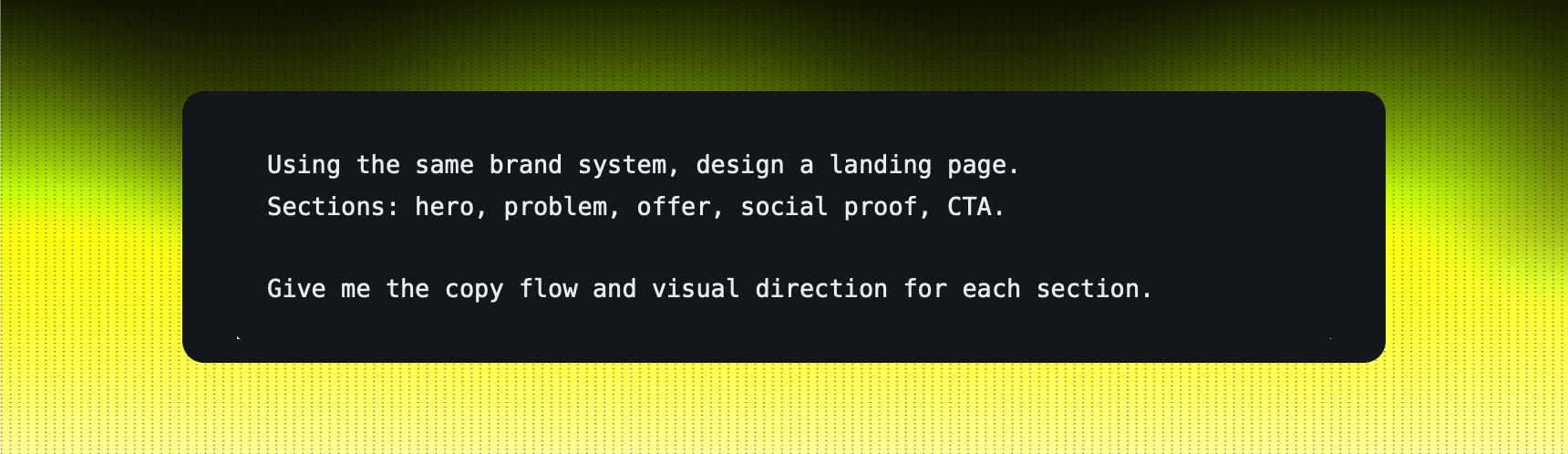
Same setup, different output. Ask for a full landing page and Claude drafts each section before your designer even touches it: hero, problem, offer, social proof, CTA.
It does not replace your designers. It cuts the time and cost wasted on first drafts and hands your team a real head start. Claude gives directions. Your team brings taste.
The landing page prompt
Start with your next post
Load your brand, paste the carousel prompt, and refine from there. The first one takes ten minutes of setup. Every one after that is faster, because Claude already knows your page.
The blank page was never the hard part. Taste is. Keep that part yours.