
Five Codes That Change How Claude Responds
By Zeel Jain
FIELD GUIDE - CLAUDE PROMPT CODES
Five codes that change how Claude responds.
The five prompt prefixes and suffixes worth keeping in a notepad. What each one actually does, the position it goes in, and the limit you should know before you trust the output.
5
codes worth remembering
2
positions: before or after the prompt
0
actual features under the hood
These aren't features. They are frames the model reads as instructions.
Claude has no hidden command menu. There is no toggle for godmode, no admin panel for L99, no internal expertise dial that L99 turns up to 99. The codes work for the same reason every other prompt works: the model treats a clear word as an instruction and shapes its output to match.
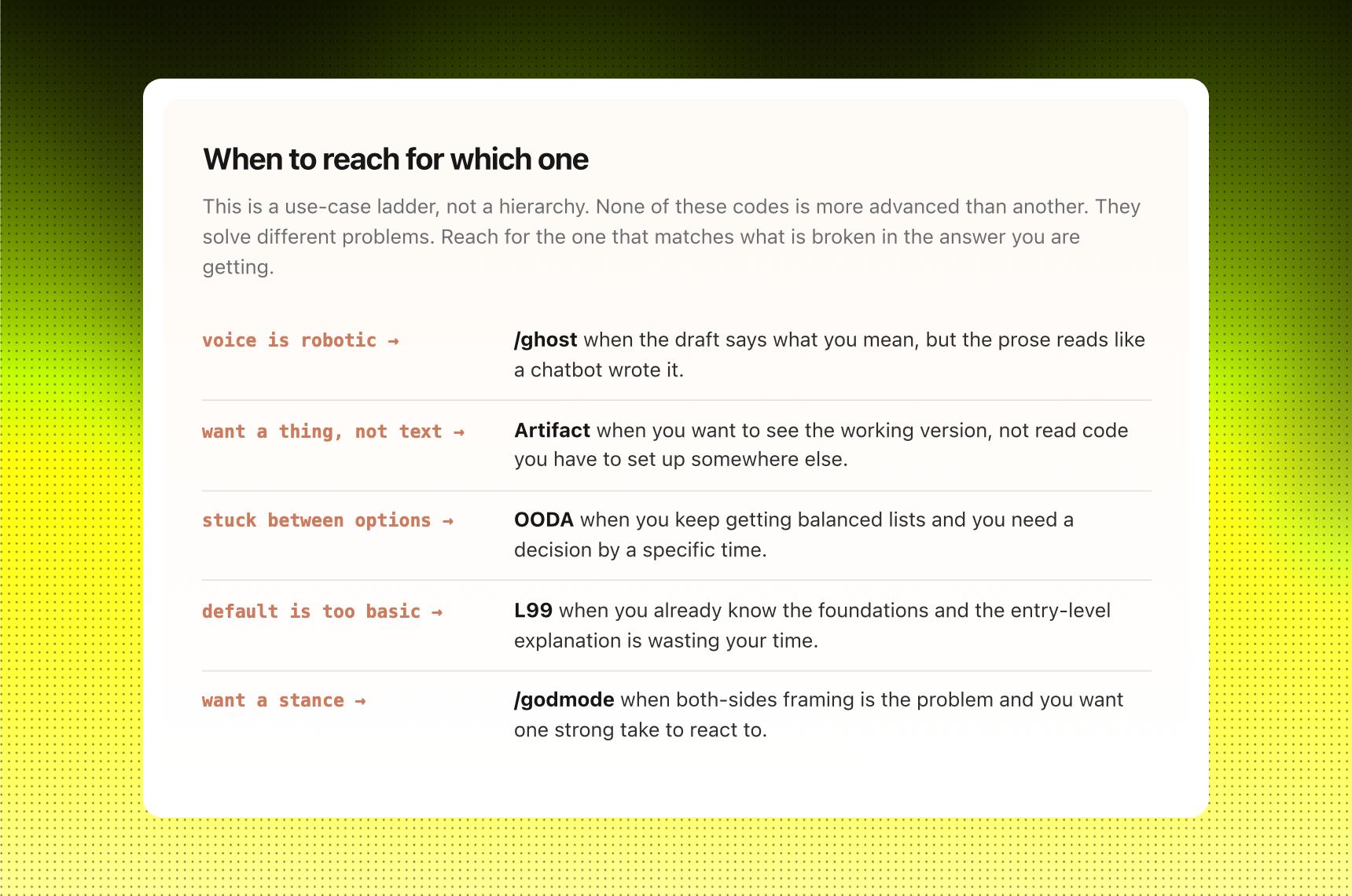
Once you see that, the codes stop feeling magical. They become reusable prompt prefixes you can swap in and out depending on what is broken in the answer you are getting. /ghost when the prose reads like a chatbot wrote it. OODA when you are stuck between options and need a decision instead of a list. L99 when the default explanation is too entry-level for where you actually are.
The skill is knowing when each one applies and where each one fails. Stripping AI tells from your draft is useful. Stripping them from a legal contract is not. Asking for the expert version is useful when you already know the basics. Asking for it when you don't just dresses up sophisticated guesses in domain vocabulary.
The shift: stop hunting for hidden commands. Start naming the frame you want the answer to come back in.
CODE 01 · PREFIX
/ghost
Strip the AI tells. Keep the content.
Claude's default output has fingerprints. Em-dashes wedged between every clause. Sentences of nearly identical length. Hedge phrases like "it's important to note" and "let's delve into". Paste it into LinkedIn and the comments start asking if a chatbot wrote it.
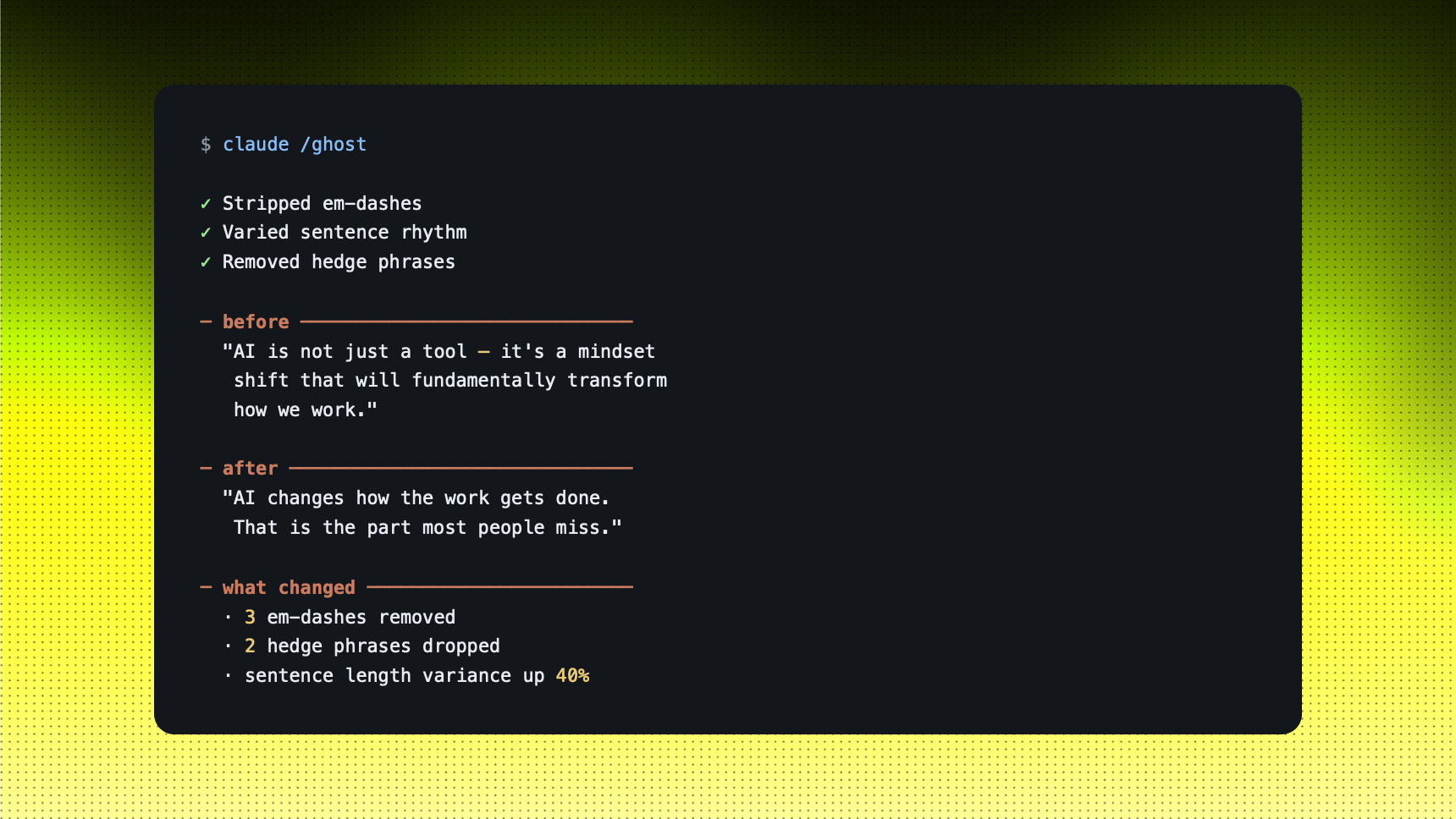
The shortcut: put /ghost before your prompt. It tells the model to vary sentence rhythm, drop hedges, and stop reaching for em-dashes. The structure of the answer stays. The tells go.
Example: CLEANING UP A LINKEDIN DRAFT
You tell Claude: "/ghost rewrite this LinkedIn post about AI hype in a more human voice. Vary sentence length. Drop the em-dashes."
STRENGTHS
- Cleans up the obvious AI tells in under a minute
- Works as a second pass on anything Claude just produced. Paste it back, prefix /ghost, ask for a rewrite
- Survives copy-paste into LinkedIn, Substack, Reddit without screaming AI
LIMITS
- Doesn't fix bad ideas. Only fixes bad prose
- Stripping em-dashes can make some sentences clunky. Re-read them
- AI detectors are unreliable. "Passes detector" is a moving target, not a guarantee
Use this when: the draft says what you mean, but the prose reads like a chatbot wrote it.
CODE 02 · SUFFIX
Artifact
Build the thing inside the chat.
Most people type "build me a finance tracker" and get back a wall of code they have to copy, paste somewhere, and figure out how to run. The thing they actually wanted to see is locked behind a setup step they will never finish.
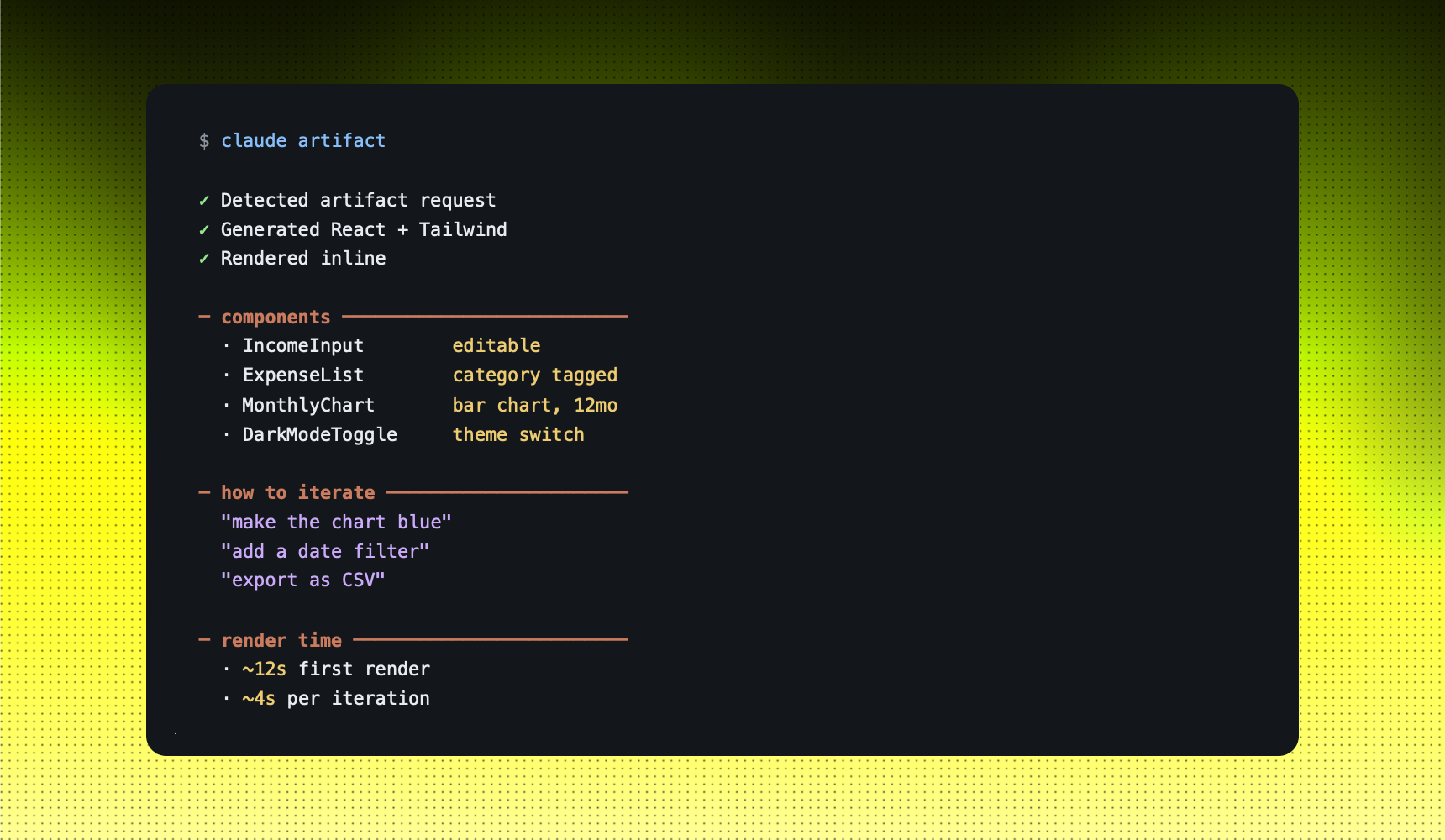
The shortcut: add the word "artifact" to the end of your prompt. Claude reads it as: render this inside the chat, make it interactive, let me click. The output lands as a working component you can iterate on in plain English.
Example: BUILDING A FINANCE TRACKER IN ONE PROMPT
You tell Claude: "Build a personal finance tracker. Income, expense categories, monthly bar chart, dark mode toggle. Artifact."
STRENGTHS
- Skip the "how do I run this" tax. The thing works inside the chat
- Iterate in plain English. No code edits, no terminal, no deploy
- Free way to test product ideas before you commit to building them properly
LIMITS
- Runs in a browser sandbox. No file system, no backend, no real APIs unless you wire them in
- Data does not persist by default. You lose state when the chat refreshes
- If you don't say "artifact" the output often comes back as code in a text block
Use this when: you want to see the working version, not read code you have to set up.
CODE 03 · PREFIX
OODA
Force a decision instead of a list.
Ask Claude for advice on a hard call and you usually get a balanced list. Three perspectives. Pros and cons. Things to consider. Useful for thinking the problem through. Useless when you actually have to make the call by Friday.
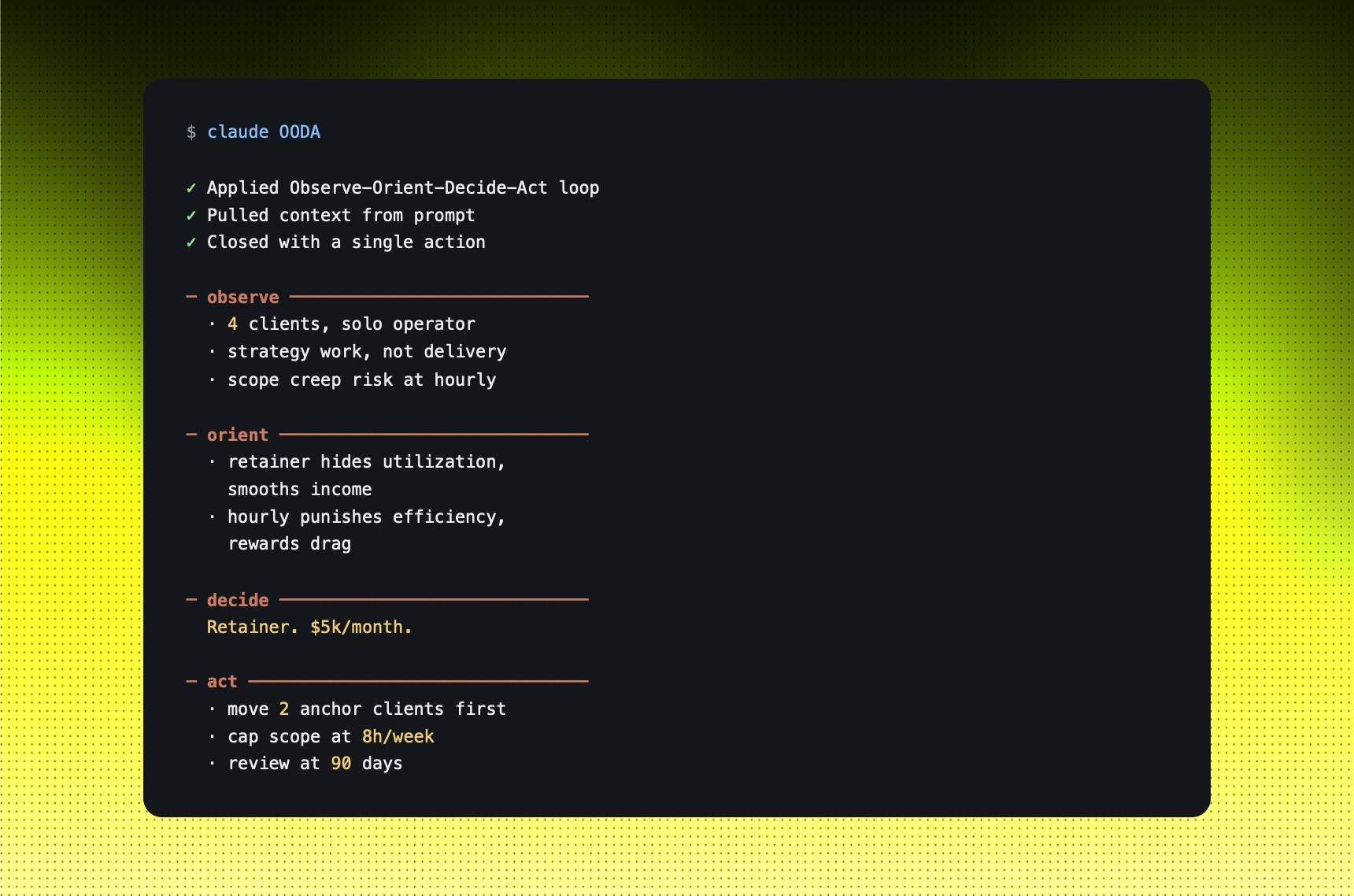
The shortcut: prefix OODA. It is the Observe-Orient-Decide-Act loop from fighter pilot John Boyd, originally built for combat decisions under time pressure. The model will structure the answer through those four steps and end with a decision, not a menu.
Example: CHOOSING BETWEEN TWO PRICING MODELS
You tell Claude: "OODA. Should I price my consulting at a $5k/month retainer or $250/hour? Solo operator, 4 clients, mostly strategy work."
STRENGTHS
- Forces Claude to end with a decision, not a list of options
- Works on any call where you have data, two paths, and time pressure
- Reusable mental model. Once you see the structure, you can run it yourself without the prompt
LIMITS
- Overkill for small decisions. Don't OODA what to eat for lunch
- If your input data is thin, the Observe block reveals it fast and the decision is built on sand
- Doesn't replace gut feel on ambiguous calls. It can only structure what you give it
Use this when: you keep getting balanced lists and you need to commit to one path.
CODE 04 · SUFFIX
L99
Skip the beginner explanation.
Claude's default explanation pitches at a middle ground. Helpful if you know nothing, frustrating if you already know the basics and want the deep version. You read three paragraphs of analogies to get one new sentence at the end.
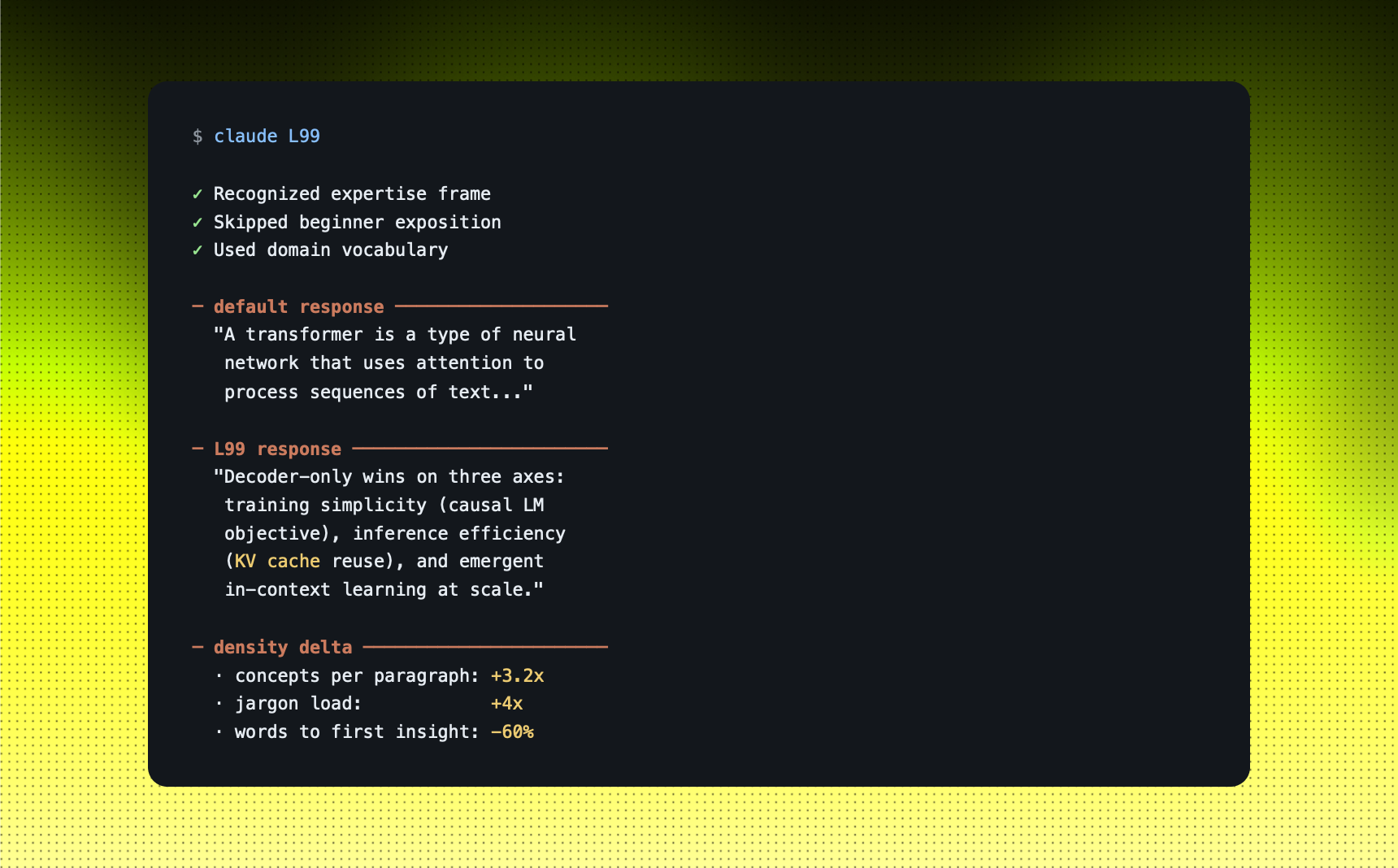
The shortcut: add L99 at the end of the prompt. It is not a real level. There is no level system inside the model. It is a frame. The word tells Claude to respond as if you already understand the foundations and want the expert take, with domain vocabulary and no warm-up.
Example: ASKING ABOUT TRANSFORMER ARCHITECTURE
You tell Claude: "Explain why decoder-only transformers won over encoder-decoder architectures for modern LLMs. L99."
STRENGTHS
- Cuts through the "let me explain like you're five" defaults
- Useful when you already know the basics and want depth, not patience
- Works on any domain Claude knows well. Try it on a topic you actually understand to calibrate
LIMITS
- Doesn't make Claude know what it doesn't know. It can still be confidently wrong
- On unfamiliar domains, "expert mode" looks exactly like sophisticated wrong answers
- Heavy jargon. Read carefully before you act on it, especially in finance, law, medicine
Use this when: the default explanation is too entry-level for where you actually are.
CODE 05 · PREFIX
/godmode
One strong take, not a both-sides summary.
Ask Claude a strategy question and you often get a polite both-sides answer. There are arguments for this. There are arguments for that. Worth considering both. Helpful in theory, paralyzing when you actually have to take a position.
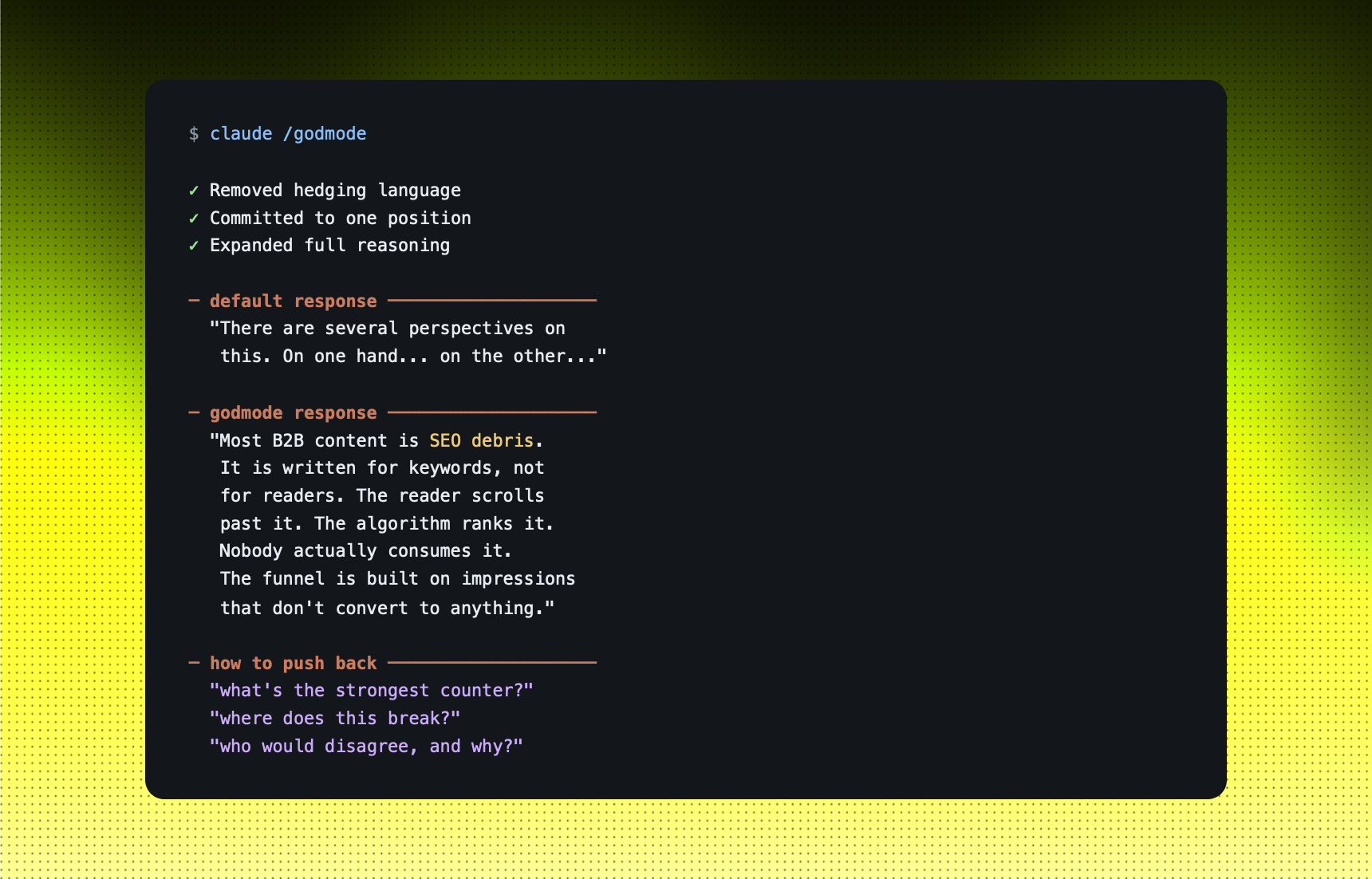
The shortcut: prefix /godmode. It tells the model to drop the hedging, commit to a position, and give you the comprehensive version. You can always argue with it after. A strong wrong take is easier to argue with than a balanced non-answer.
Example: ASKING FOR A REAL STRATEGY OPINION
You tell Claude: "/godmode. Why is B2B content making failing in 2026? Give me the real reason, not the balance version."
STRENGTHS
- Skip the "on the other hand" loops when you just want a position
- Useful for strategy work where you want one strong opinion, then you push back to stress-test it
- Pairs well with L99 for technical depth and OODA for decisive structure
LIMITS
- "Comprehensive" can also mean "longer than you actually need"
- Removing hedges removes useful nuance. Re-add it on consequential topics
- Don't paste /godmode output into client-facing docs without editing. It reads opinionated, which is the point
Use this when: both-sides framing is wasting your time and you want a position to react to.
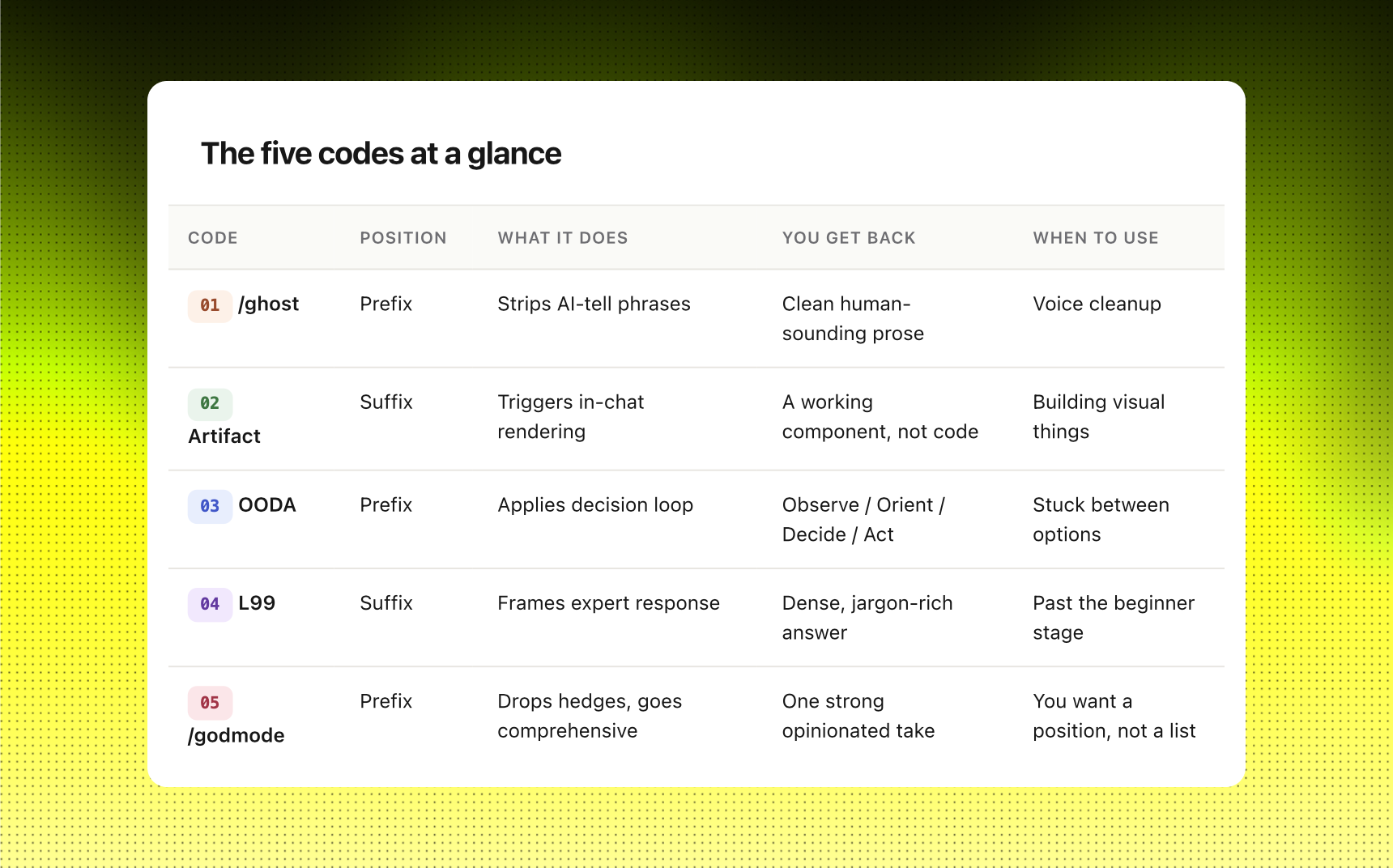
The five steps at a glance
How to start.
Start with /ghost. It is the lowest-risk one because you are just rewriting prose you already have. Take a draft of an email or post you sat on because the voice felt off, paste it into a fresh chat, prefix /ghost, and ask for a rewrite. See what changes. The first run usually surfaces three or four em-dashes and a hedge phrase you didn't realize you were using.
From there, the others build on the same idea. Each one is a frame the model reads as a setup instruction, so you can stack them. /ghost paired with L99 gives you a deep technical answer that does not sound like a chatbot wrote it. /godmode paired with OODA gives you an opinionated decision walkthrough that ends in an action, not a question. The combinations matter less than the move underneath them.
Once you internalize the move, the codes become training wheels you stop needing. You write your own. The next code is the one you invent when an answer is not landing the way you wanted.