
The Honest AI Stack
By Zeel Jain
Claude, ChatGPT, and Gemini are not competing for the same crown. They are winning different fights. This is the honest read on when to reach for which, and what running all three actually costs.
Three AIs. Each one wins something different.
Claude, ChatGPT, and Gemini are not competing for the same crown. They are winning different fights. This is the honest read on when to reach for which, and what running all three actually costs.
3
Tools paid for
$60/mo
Combined cost
70 / 20 / 10
Working split
Picking one means losing two.
Most creators pick the AI they like and tell you it is the best. That is a content move, not a smart one. Each of these tools wins at something different, and the cost of running all three is less than one bad hour of using the wrong one.
The frame to drop is "which AI is best." It implies a single race with a single winner. The frame to adopt is "which AI wins this specific job." Writing a 4,000-word board deck is not the same job as voice-brainstorming names in the car. Pulling from a Sheet is not the same job as refactoring a codebase. The work decides the tool.
At twenty dollars each, the three subscriptions cost a coffee a week. The cost of using the wrong one for a serious deliverable is a working day you do not get back. The math is only confusing if you have not paid for all three for long enough to feel the difference.
The shift: stop asking which AI is best. Start asking which one wins the specific job in front of you. The answer changes three times a day, and that is the point.
TOOL 01 · THE SERIOUS-WORK ONE
Claude.
When your name is on the output.
Claude is the one you reach for when the work has to read like you wrote it. Long documents that need to hold their shape across forty pages. Code that has to land in a real repository without breaking three files you did not ask it to touch. A client memo where one off-key sentence costs you the room.
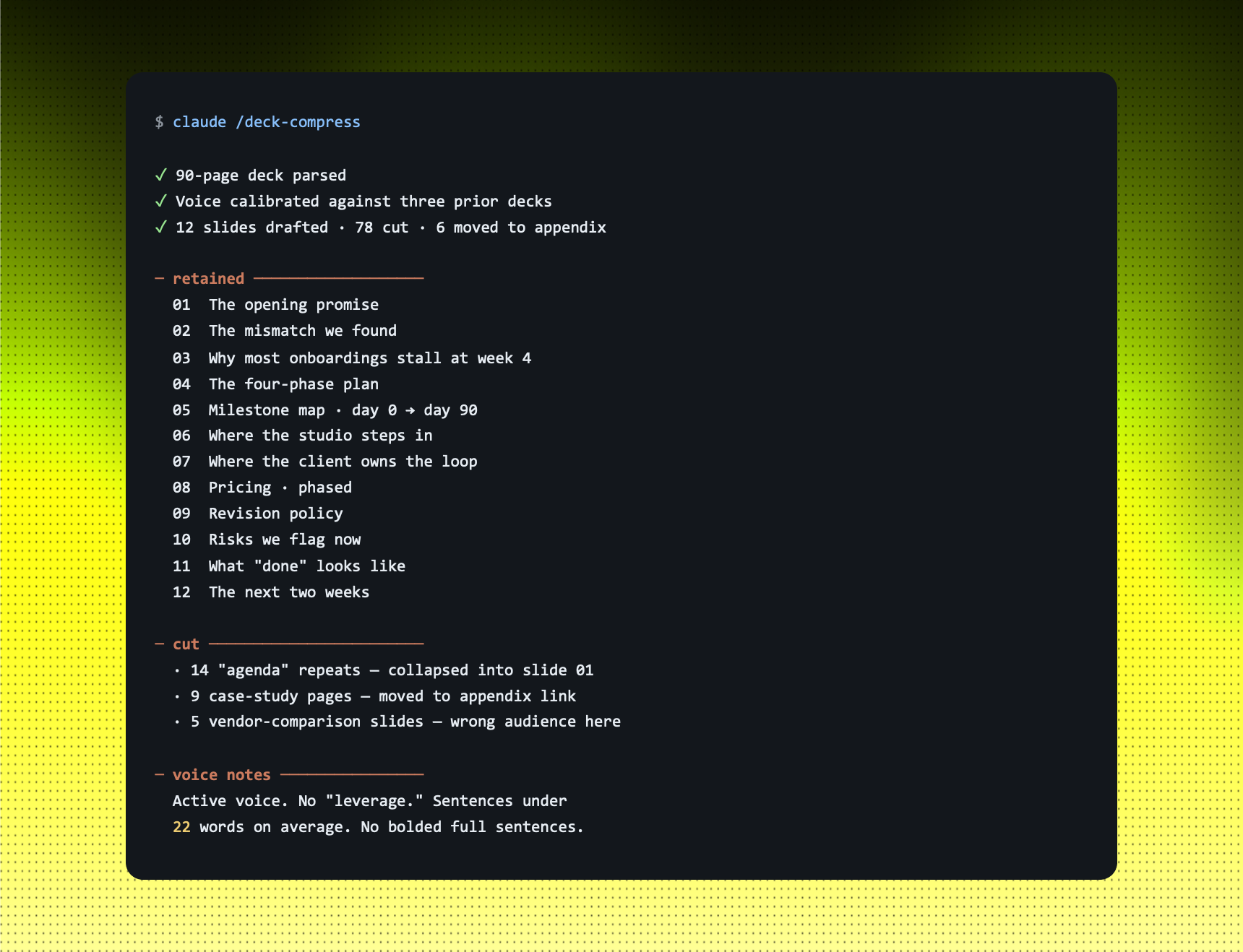
The shortcut: hand Claude the full source, the 90-page deck, the codebase, the brief and three prior emails for tone calibration. Ask for the structured output you actually need. The first draft lands at 70%, and the 70% is the right 70%. The edits you make on top are the part that sounds like you.
Example: 90-PAGE DECK → 12-SLIDE LEAVE-BEHIND
You tell Claude: "Here is the full 90-page onboarding deck and the recording of last week's discovery call. Cut this to a 12-slide leave-behind. Hold the voice from the last three decks I sent you. Tell me what you cut and why."
STRENGTHS
- 200K context handles a full deliverable in one paste; no chunking.
- Writing voice survives long edits, drafts do not drift into AI tone.
- Best in class on real codebases, not single-file demos.
LIMITS
- No native image generation, falls back to other tools.
- Voice mode exists but lags ChatGPT for live conversation.
- Smaller third-party ecosystem than ChatGPT's plugin world.
Use this when: the output bears your name, the source is long, or the code touches more than one file.
TOOL 02 · THE BROADEST ONE
ChatGPT.
When you are talking, not typing.
ChatGPT is the one with the widest surface. Voice mode that genuinely feels like a phone call. Native image generation in the same window you are writing in. A plugin and connector ecosystem that touches half the SaaS world. It is rarely the deepest tool in the room, but it is almost always the most useful one when you do not yet know what you are looking for.
The shortcut: each for ChatGPT when the answer needs quantity, not precision. Voice-mode brainstorms on a walk. Twenty image concepts in five minutes. Half-formed ideas you want pushed in three directions before you commit. The single-file code work is now genuinely good with GPT-5.5, the gap on small coding tasks has closed.
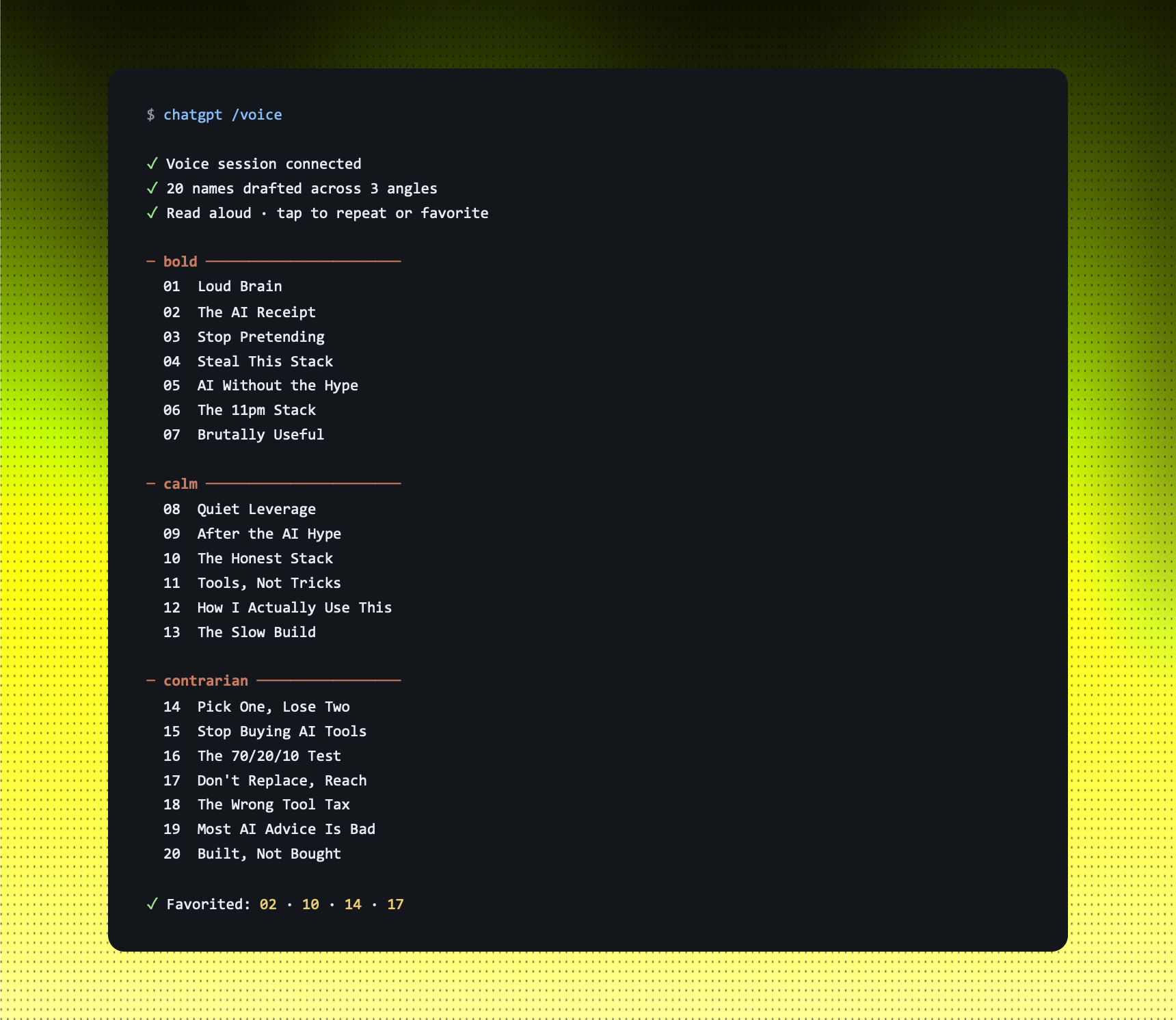
Example: VOICE-MODE BRAINSTORM · 20 SERIES NAMES
You tell ChatGPT: "I am walking. Voice mode. Brainstorm 20 names for a Reels series on AI for creators. Three angles: bold, calm, contrarian. Read each one out loud. I'll thumbs-up the keepers."
STRENGTHS
- Voice mode is the most natural in the category; full sentences, no robot.
- Native image generation in the same window as your text thread.
- Broadest ecosystem: plugins, GPTs, connectors, custom instructions.
LIMITS
- Tone goes generic without heavy prompting, bad fit for long pieces in your voice.
- Hallucinates more confidently on dense technical material.
- Long-document recall is weaker than Claude's, even on paper-equal context.
Use this when: the input is spoken, the output is an image, or the work is "give me twenty of these" rather than "give me the right one."
TOOL 03 · THE WORKSPACE ONE
Gemini.
When the file is bigger than the others can hold.
Gemini's edge is size. A context window that comfortably swallows a million tokens; a full book, hours of meeting recordings, an entire codebase at once. And because it is Google's tool, it lives inside Workspace the way the others never will: Docs, Sheets, Gmail, Drive, Meet. If your team operates inside that suite, Gemini is the only one that touches the work without you copy-pasting.
The shortcut: point Gemini at the place the data already lives, the Sheet, the Drive folder, the meeting recordings and ask for the structured output you would otherwise build by hand. The work it produces lands back in Docs, in the same Workspace, ready to share without an export step.
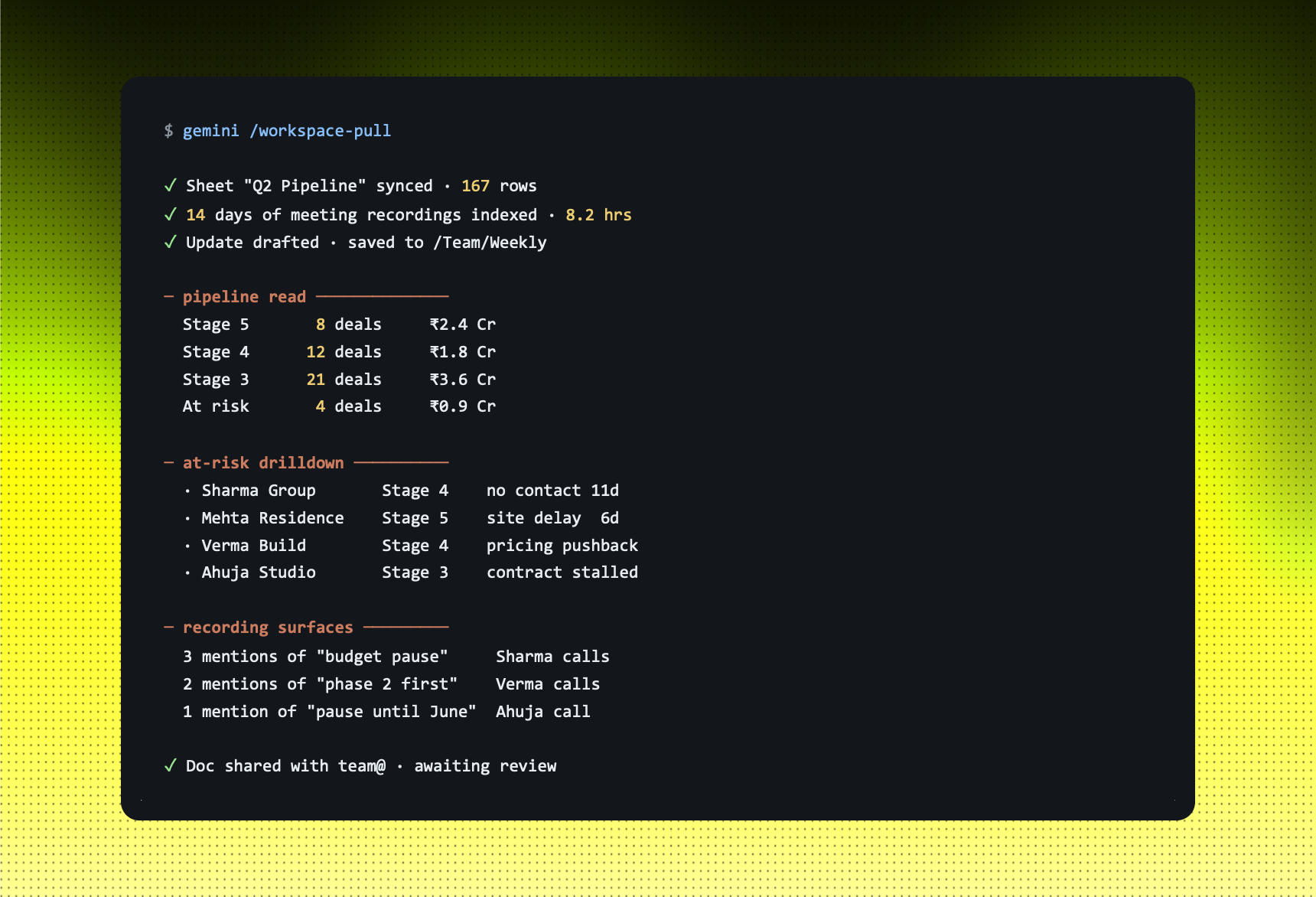
Example: WORKSPACE PULL · WEEKLY TEAM UPDATE
You tell Gemini: "Pull from the 'Q2 Pipeline' Sheet and the last 14 days of client-meeting recordings in Drive. Draft a Friday team update. Flag the deals at risk with the recording evidence. Save to/Team/Weekly."
STRENGTHS
- 1M+ token context: whole books, hours of video, full archives.
- First-party Workspace integration; no export, no copy-paste.
- Cheapest of the three at the API tier, by a wide margin.
LIMITS
- Writing voice reads as the most "AI" of the three, needs the heaviest edit pass.
- Multi-file code work less reliable than Claude, fine for snippets, weak for refactors.
- Outside Workspace, the product surface feels less considered than the other two.
Use this when: the input lives in Workspace, the file is too big for the other two, or the job is structured extraction from a lot of source material.
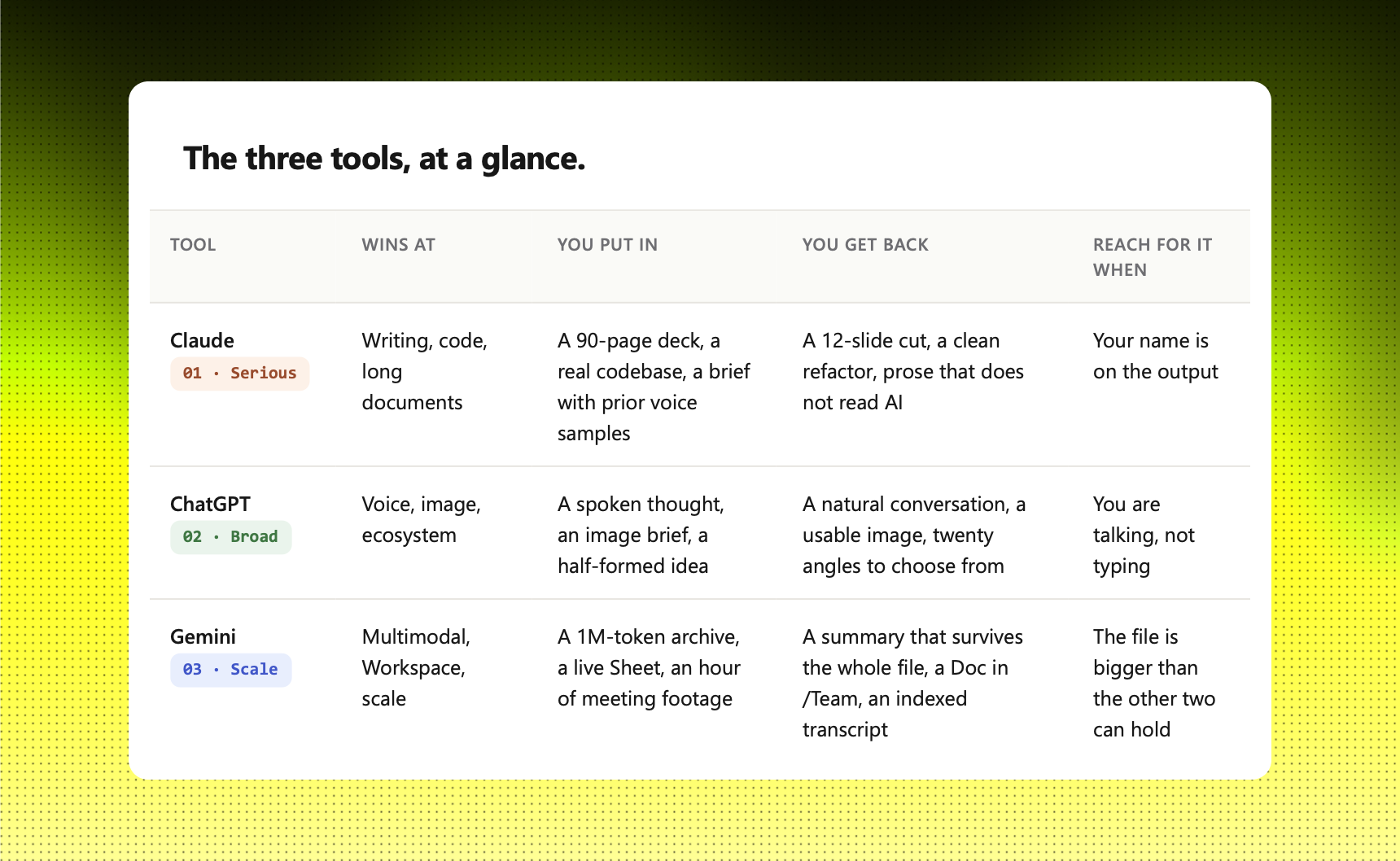
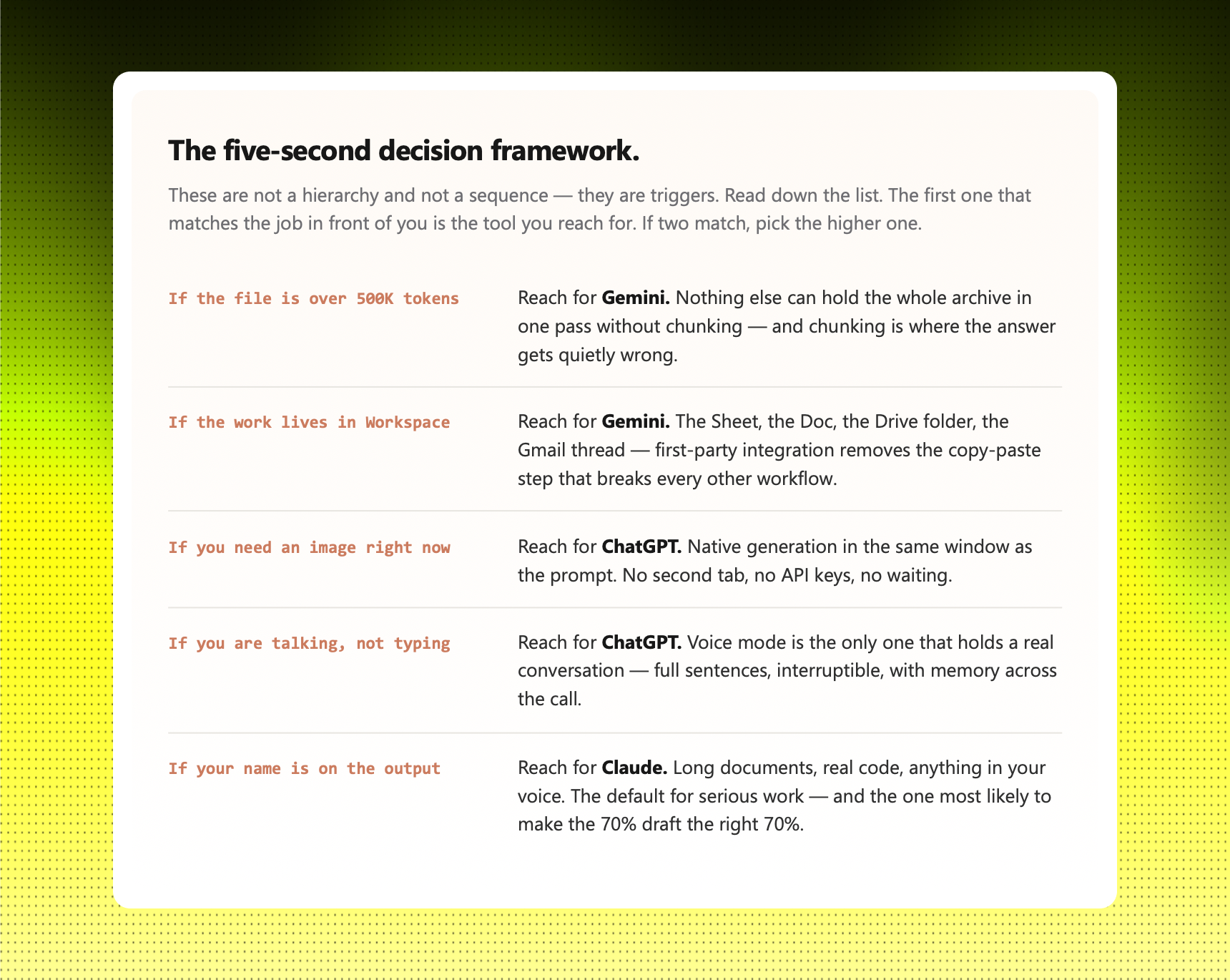
The three tools at a glance
How to start.
Pay for two before three. If you only run one AI tool, you do not know which jobs it is losing, you only know it does the jobs you give it. Two reveals the gaps. The third closes them.
Start with Claude and ChatGPT. They overlap the least, which makes them the cleanest pair. Claude carries the work that bears your name. ChatGPT carries the volume, the voice, the image, the brainstorm. After a month you will feel where each one strains, that is when Gemini earns its twenty dollars.
The split that works for most operators is not thirds. It is heavy in one, supplemental in the other two. Writers and builders skew Claude-heavy. Brand and content people skew ChatGPT-heavy. Team leads inside Google Workspace skew Gemini-heavy. None of those mixes is wrong. Picking blind is.
The cost of running all three is one bad client deliverable a year.